Sanaiee logo SANAIEE
  • Home
  • Services
  • Download App
  • User Manual
  • Contact Us
  • Home
  • Services
  • Download App
  • User Manual
  • Contact Us

Create Provider Account

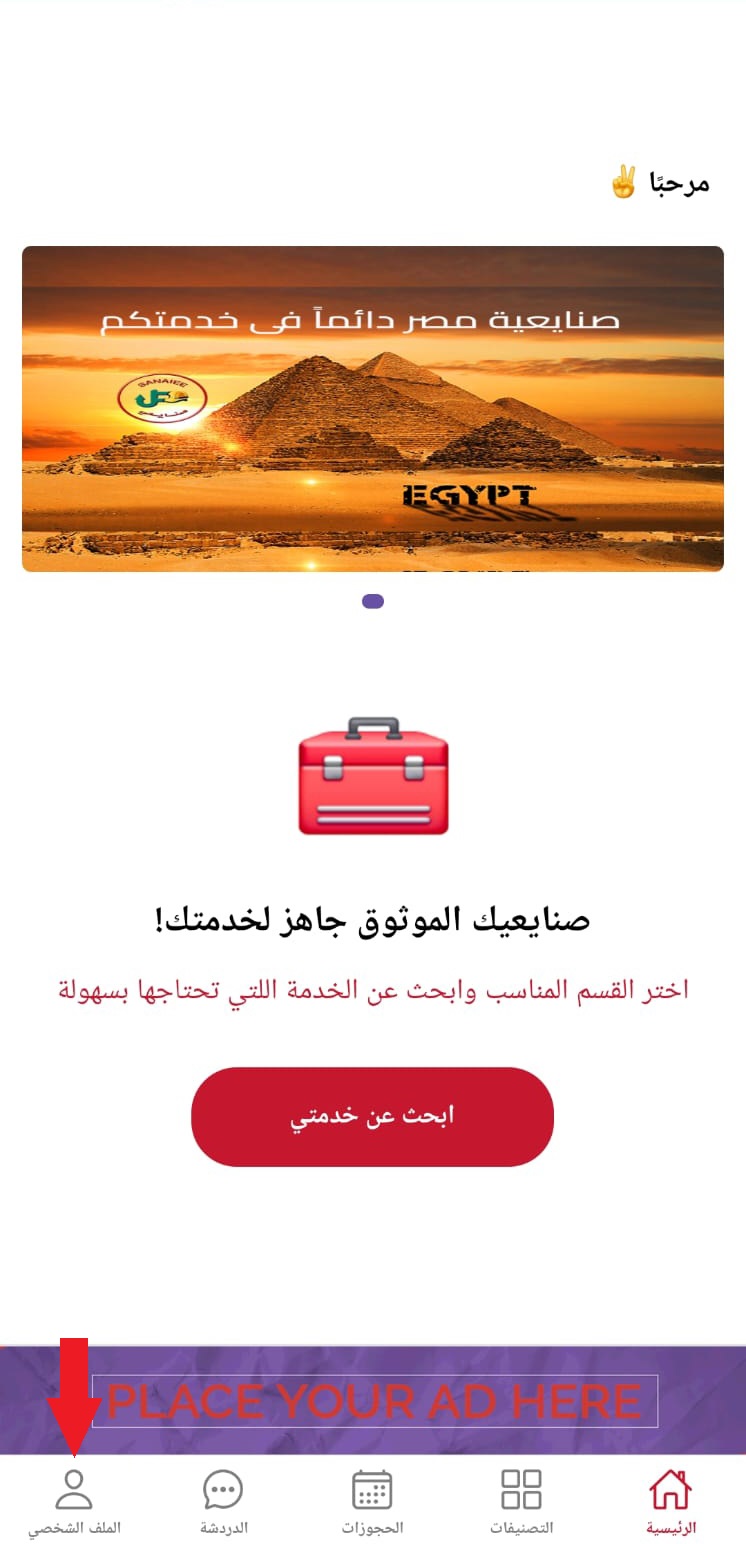
  1. Open app main page
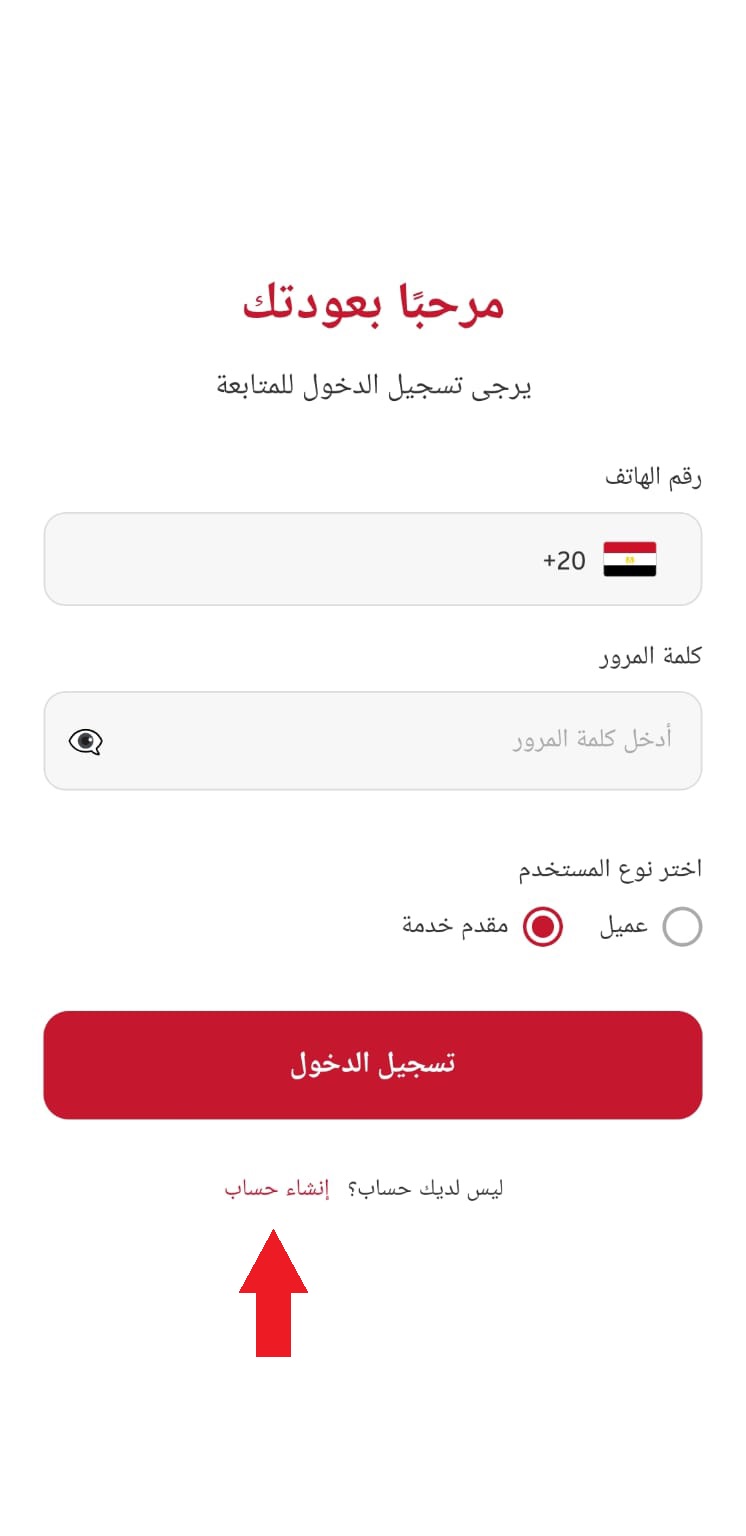
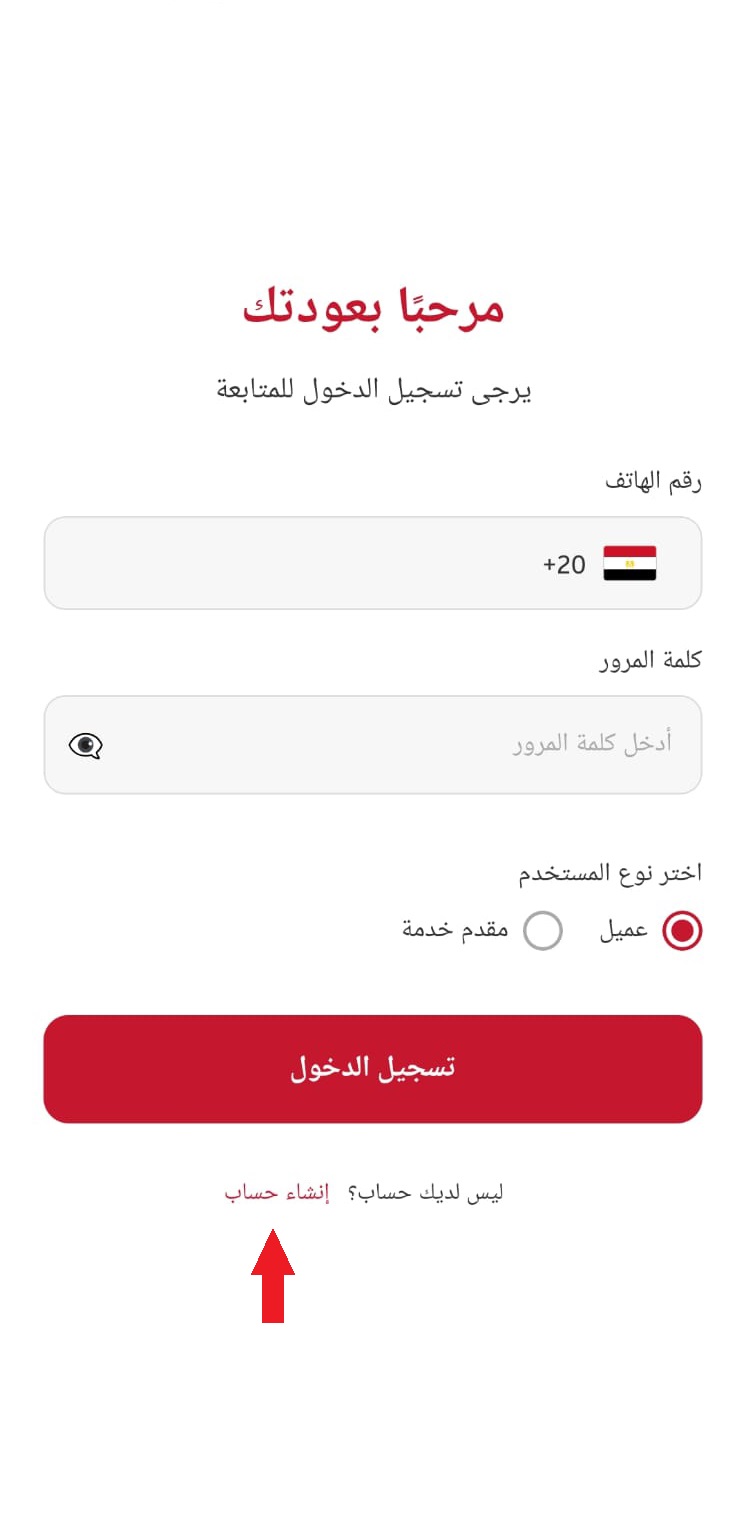
  2. Login screen
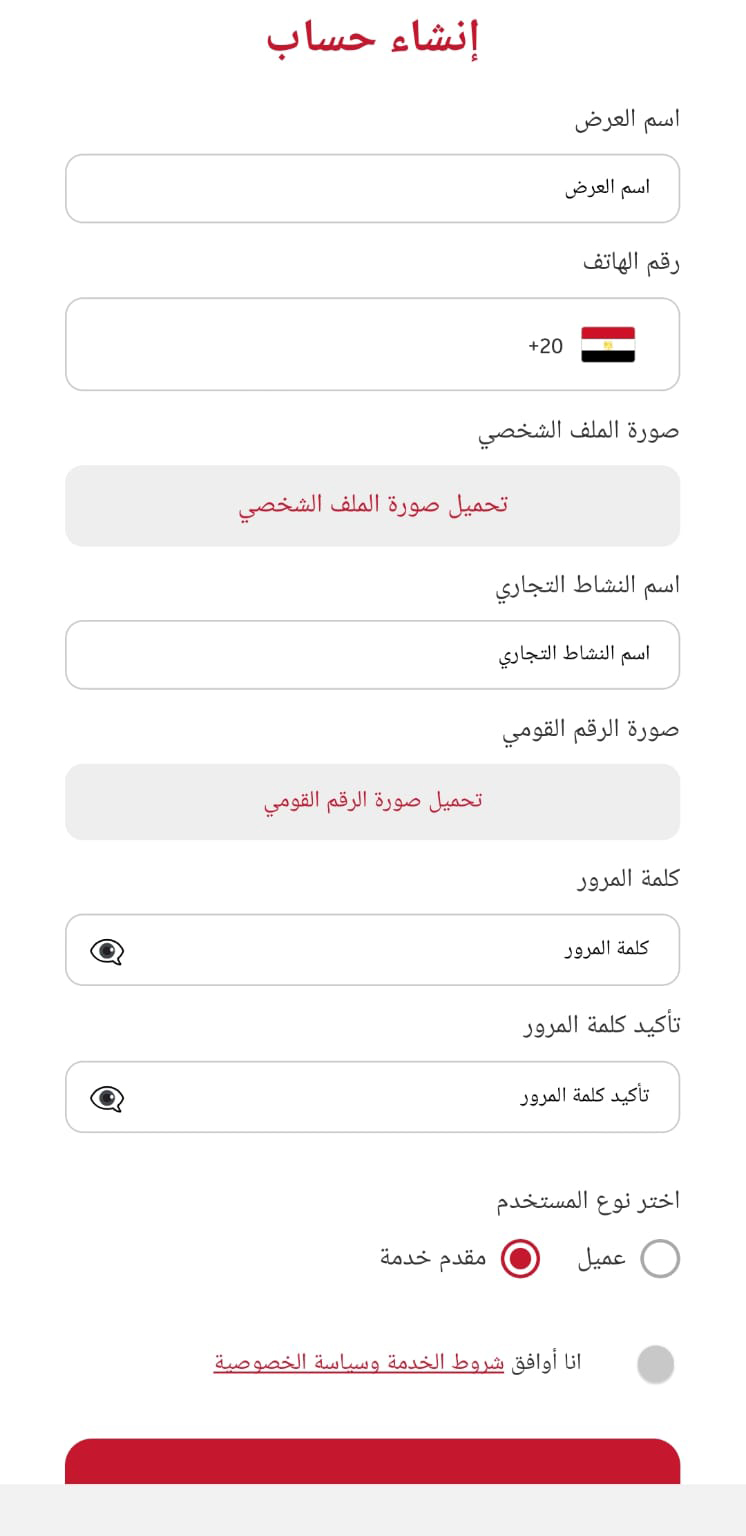
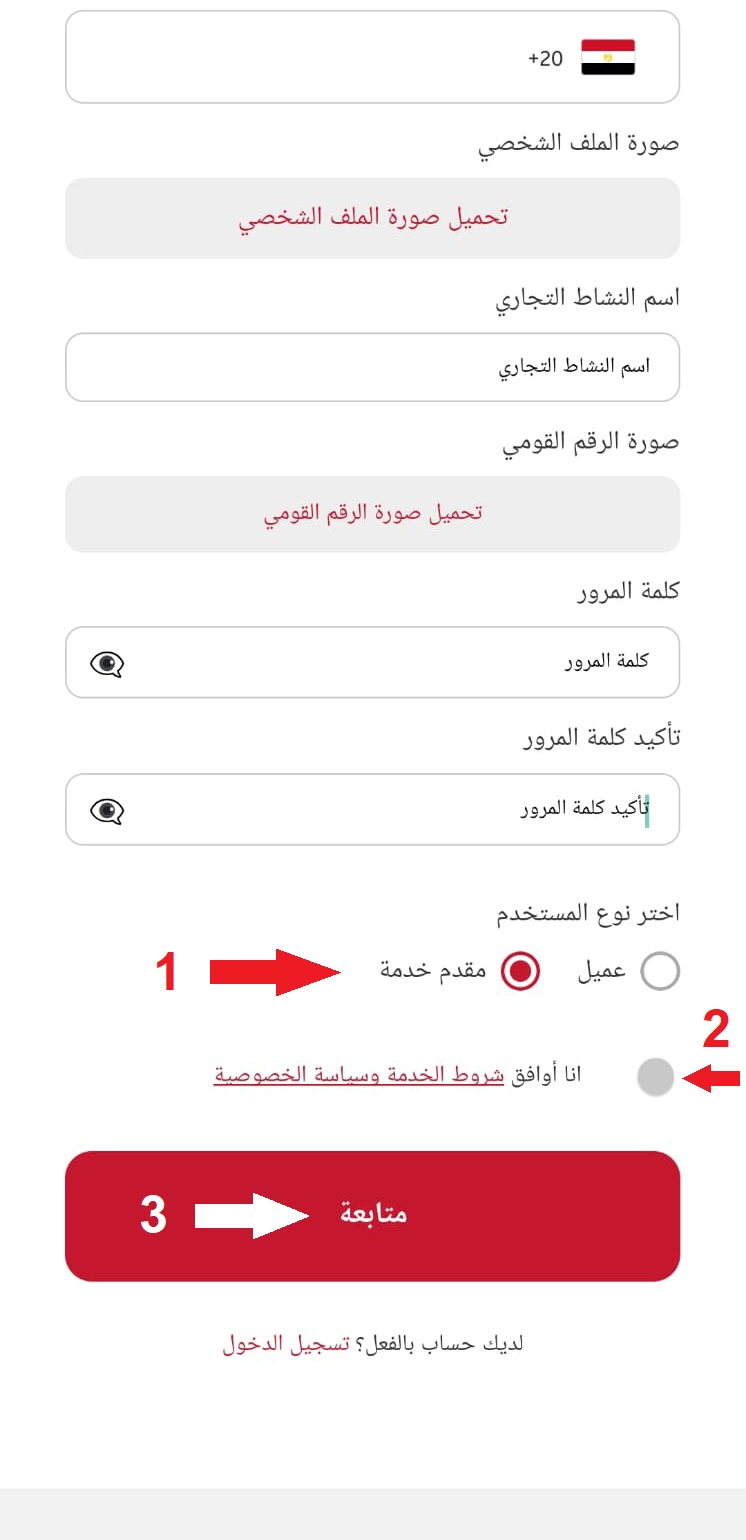
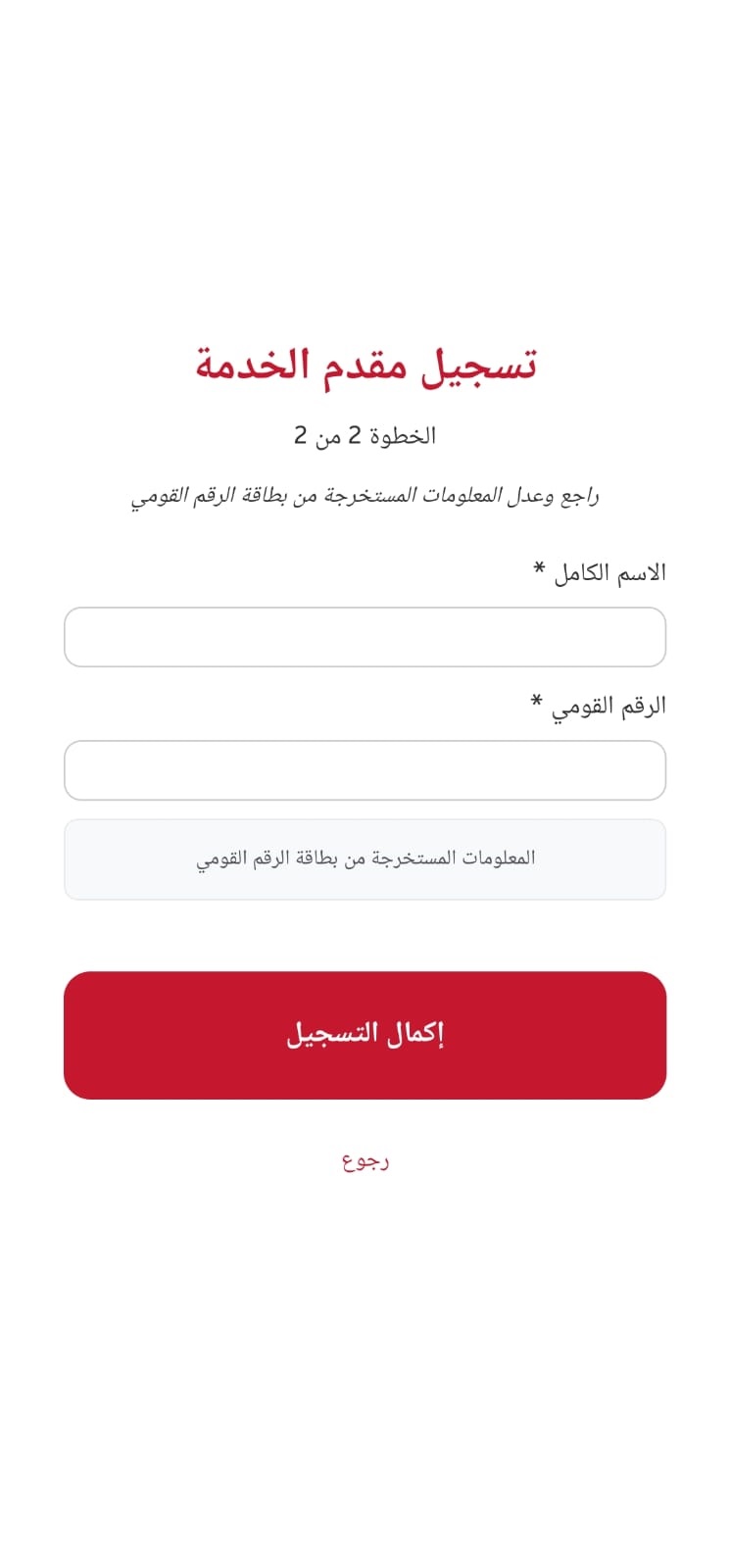
  3. Register screen
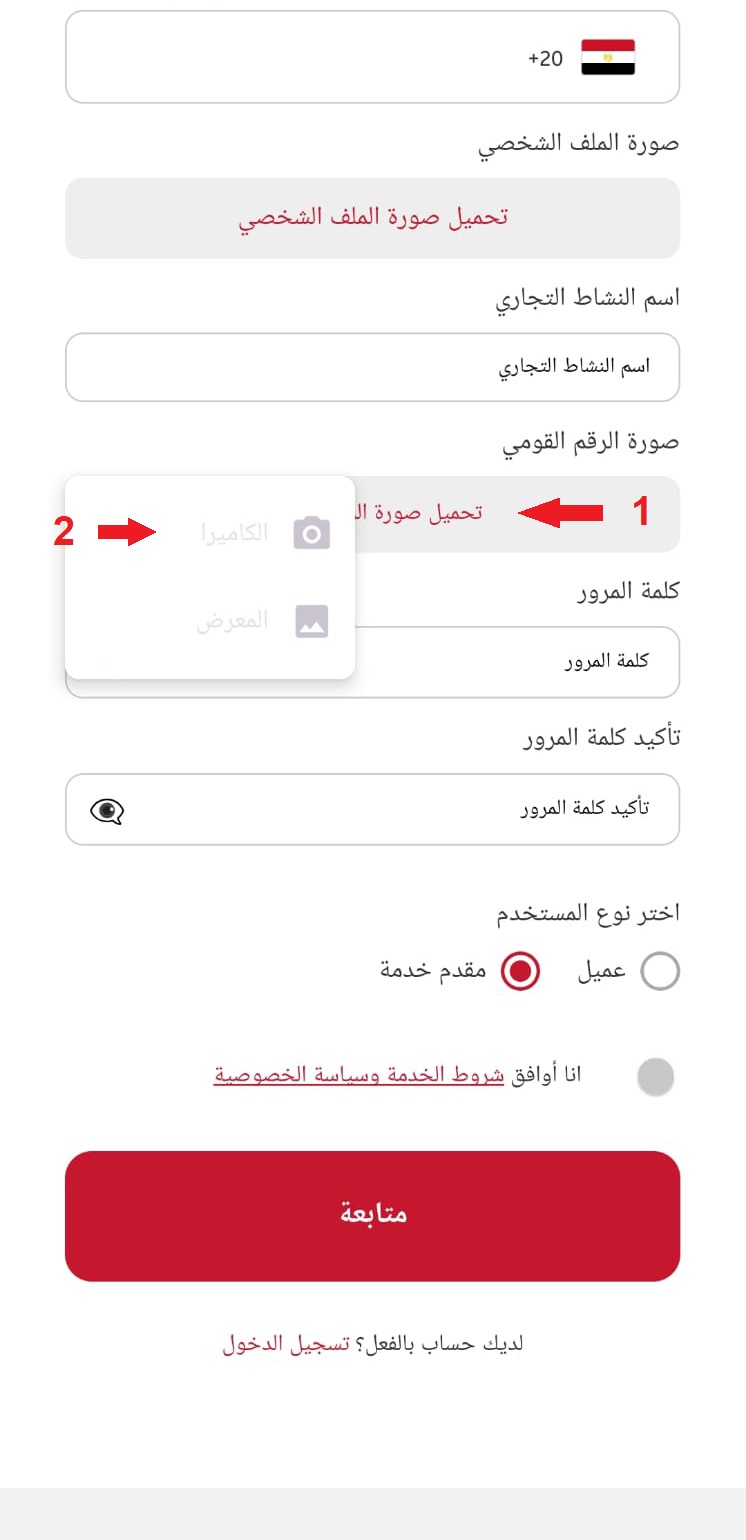
  4. Upload ID
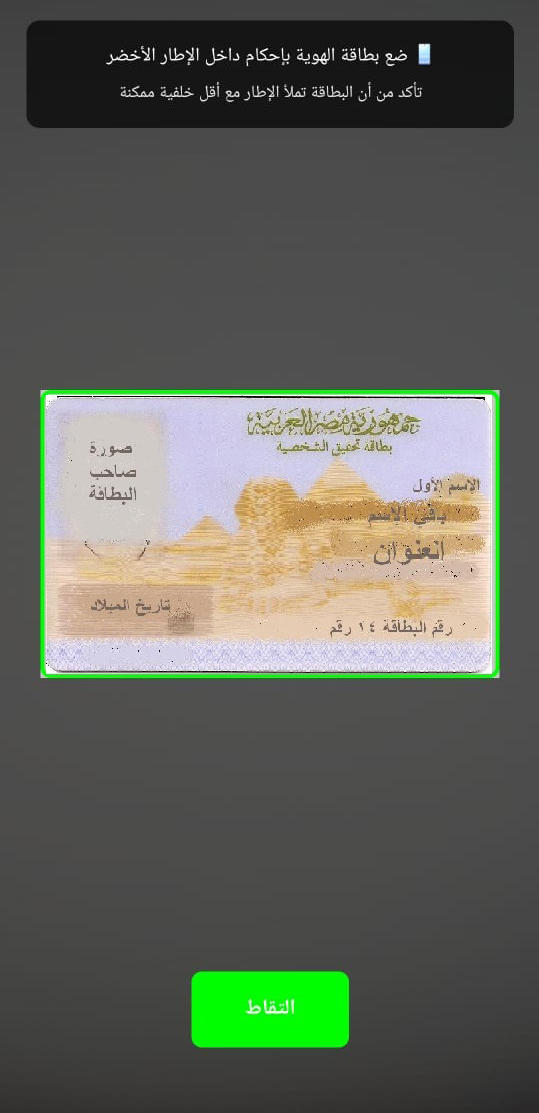
  5. Capture ID
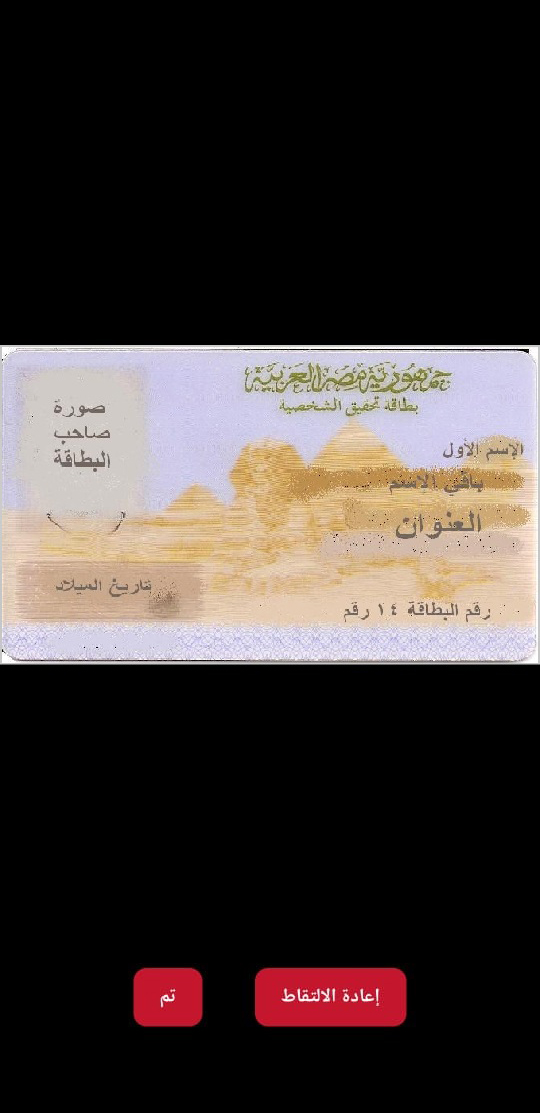
  6. Retake or confirm ID
  7. Provider agreement
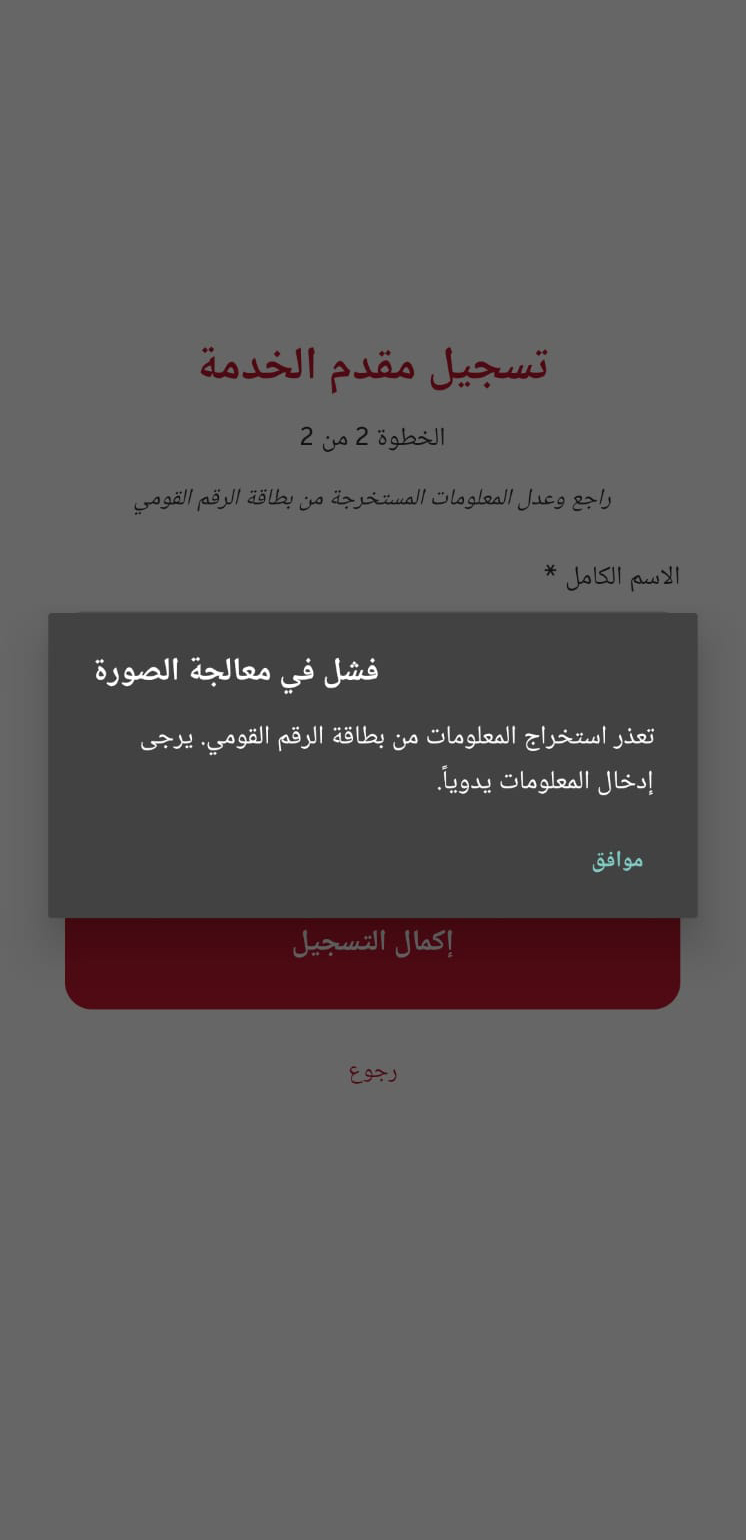
  8. ID recognition failed
    Retry ID process
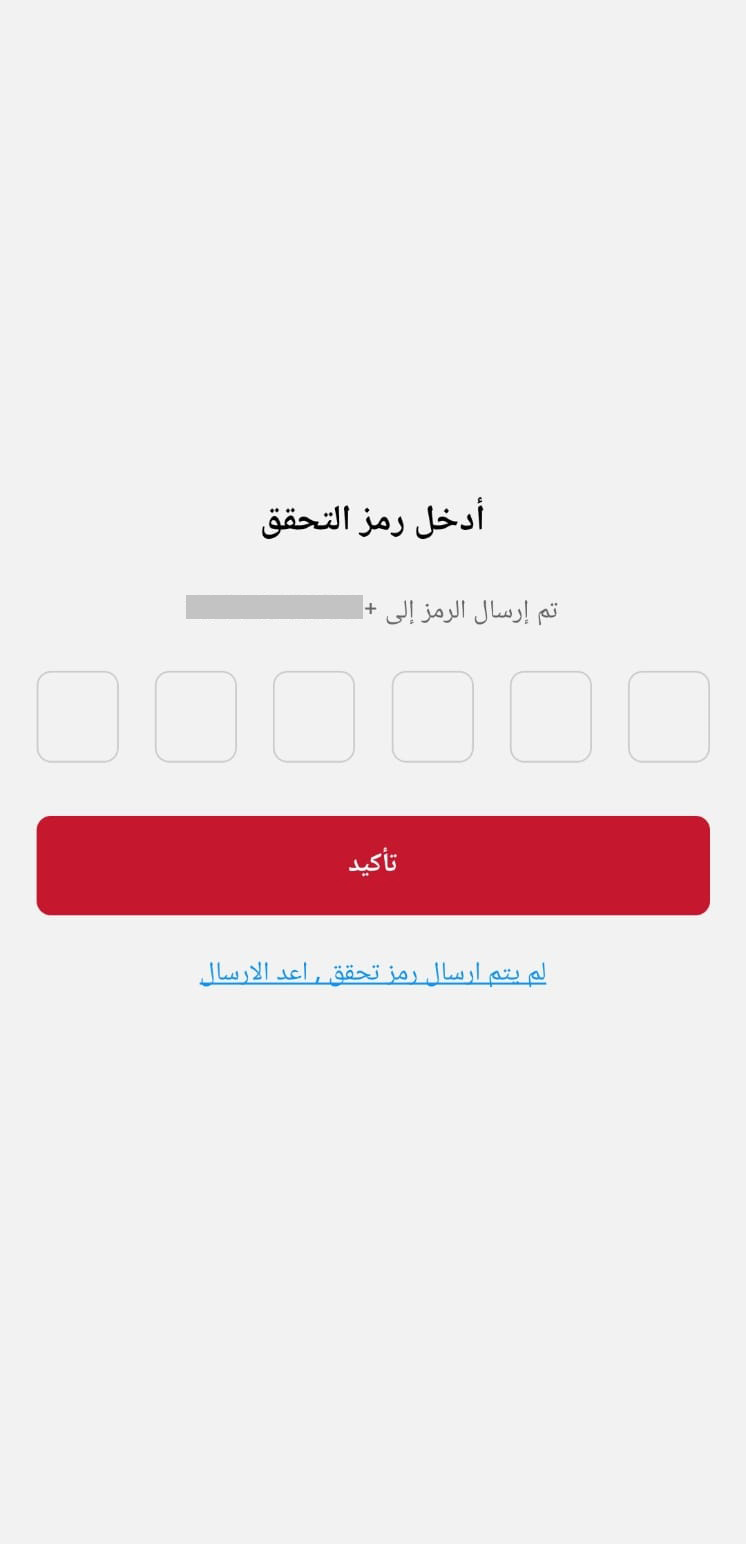
  9. OTP verification

Create Service

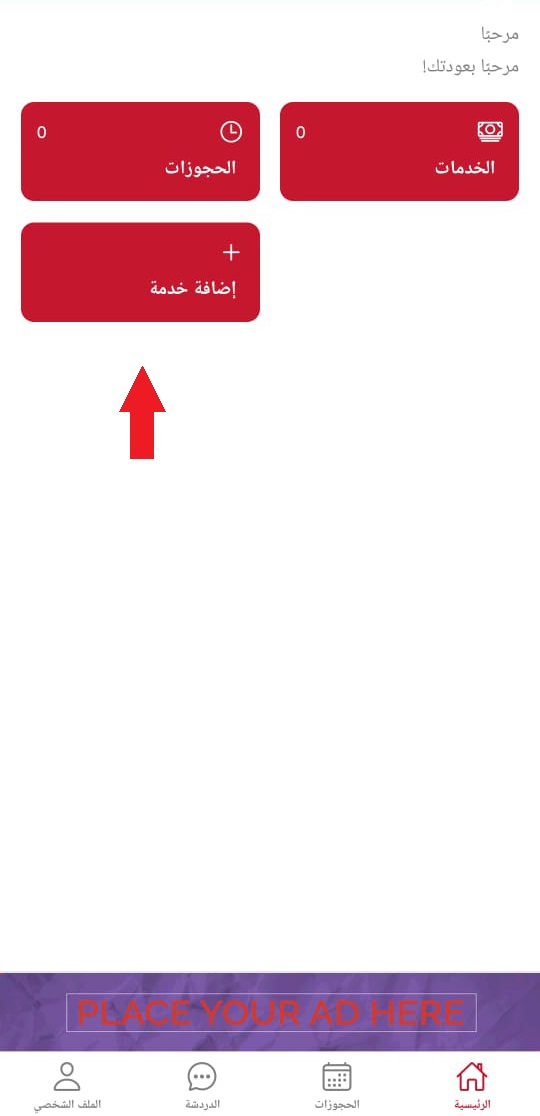
  1. Open app main page
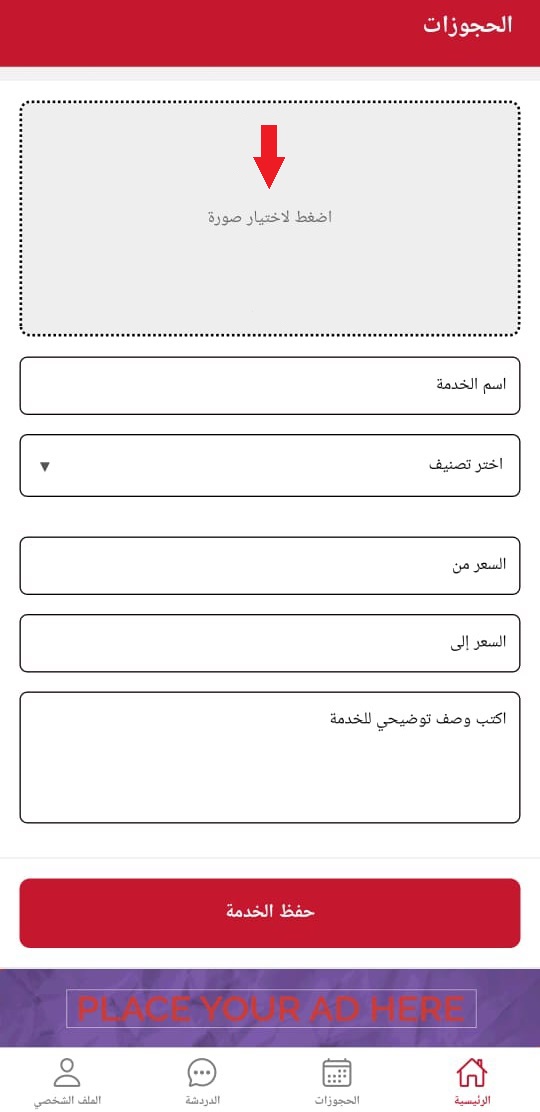
  2. Upload service image
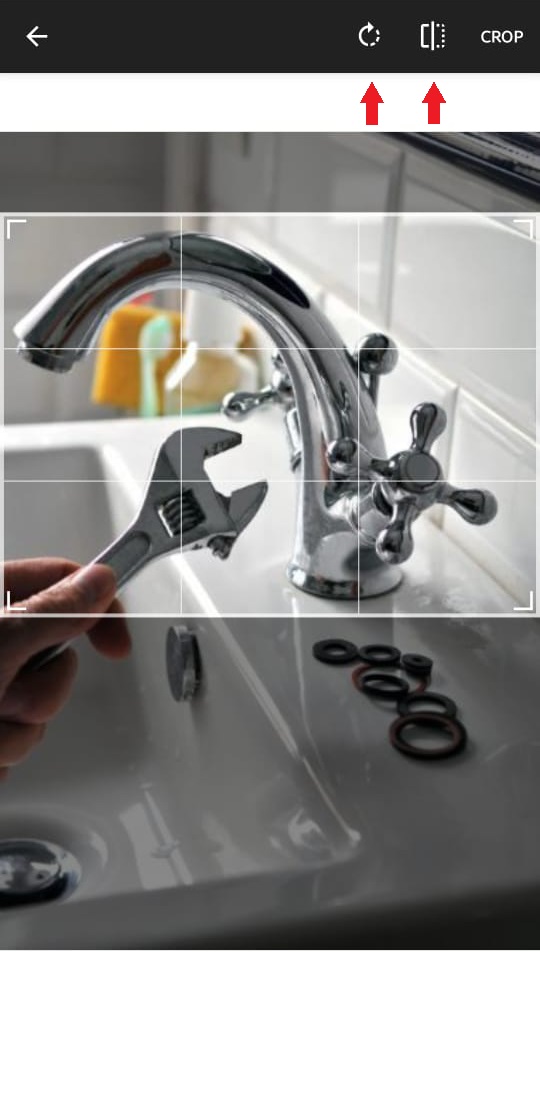
  3. Rotate and flip tools
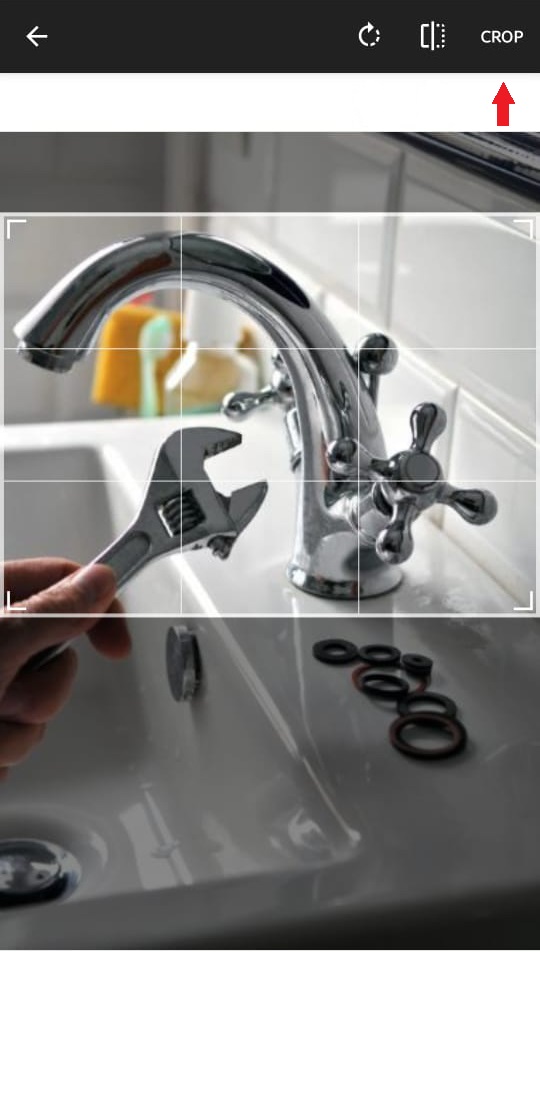
  4. Crop image
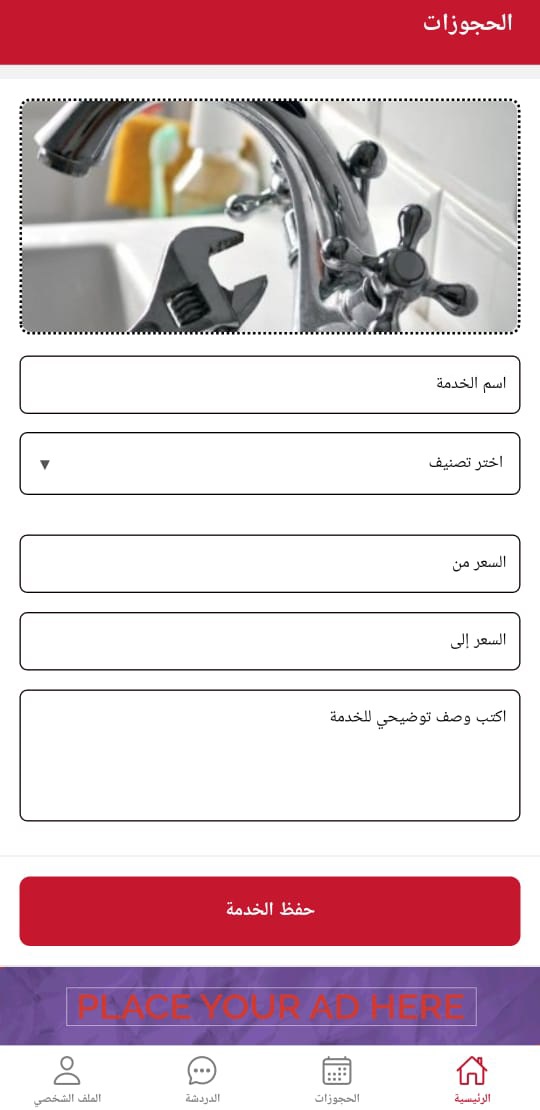
  5. Fill service details
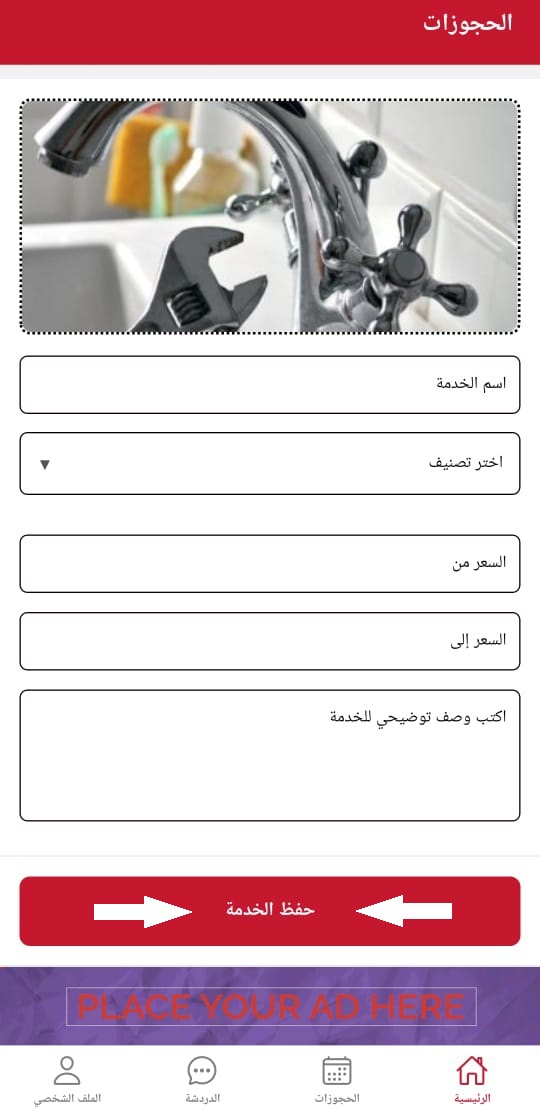
  6. Save service
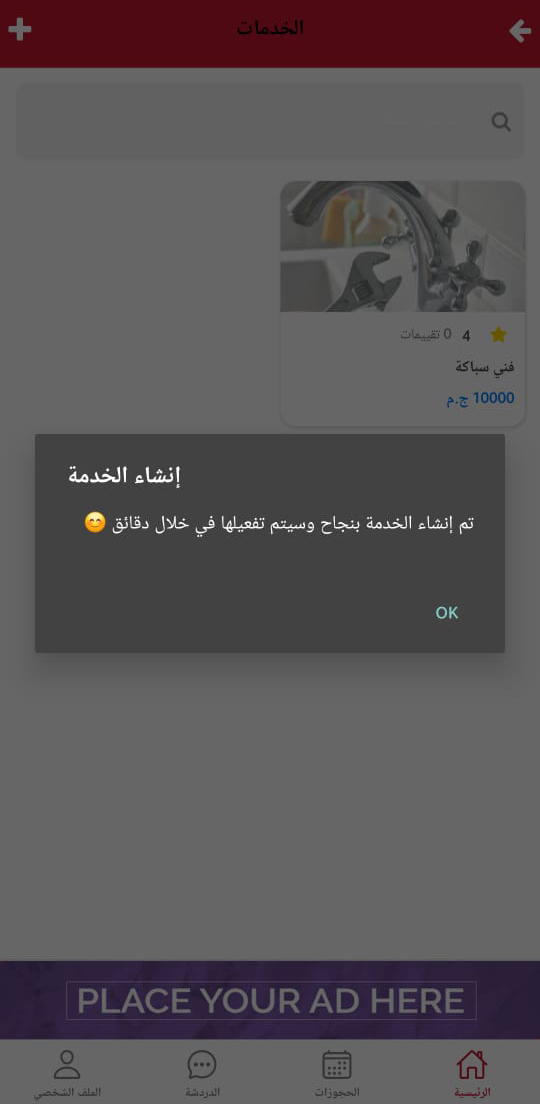
  7. Services list with new service

Manage Bookings

  1. New order notification
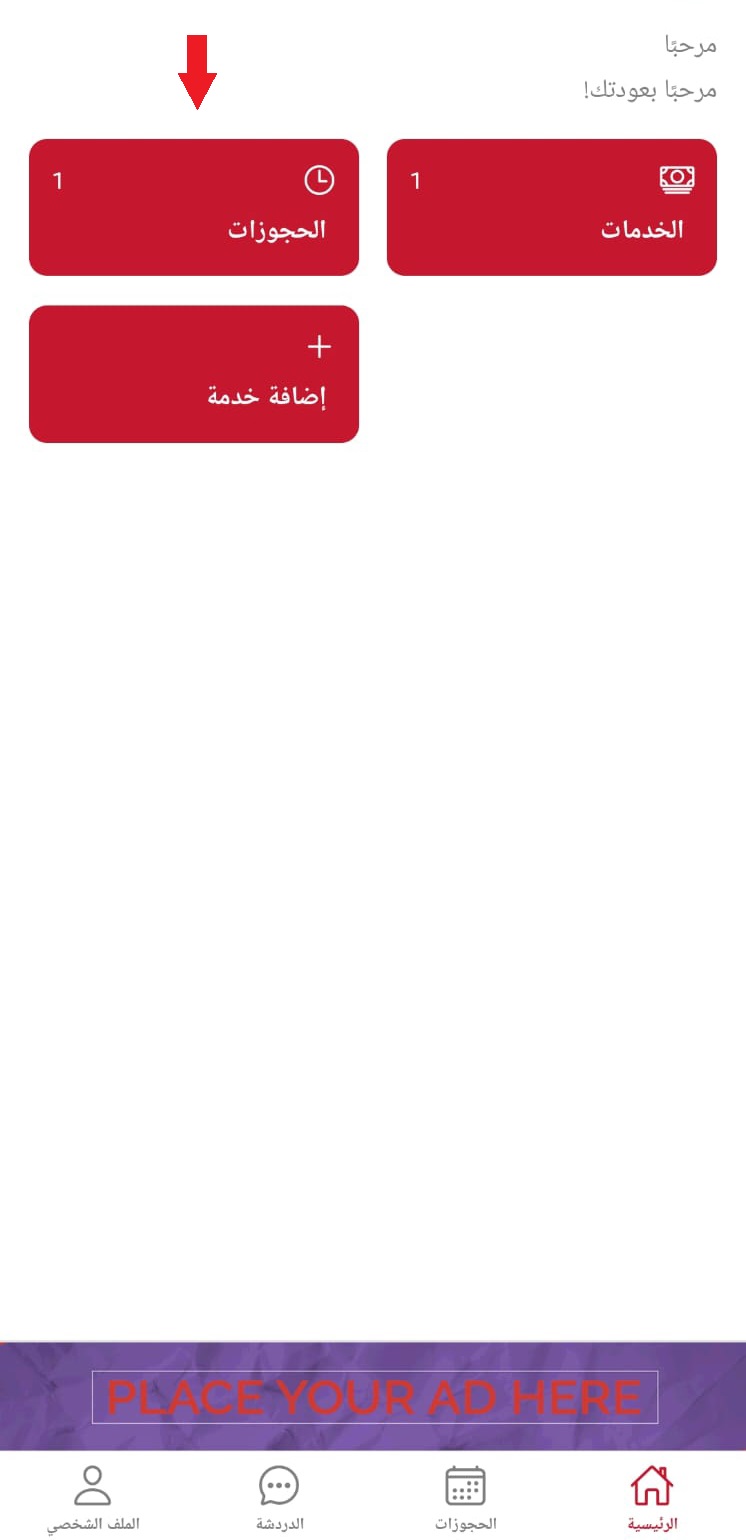
  2. Home page with bookings
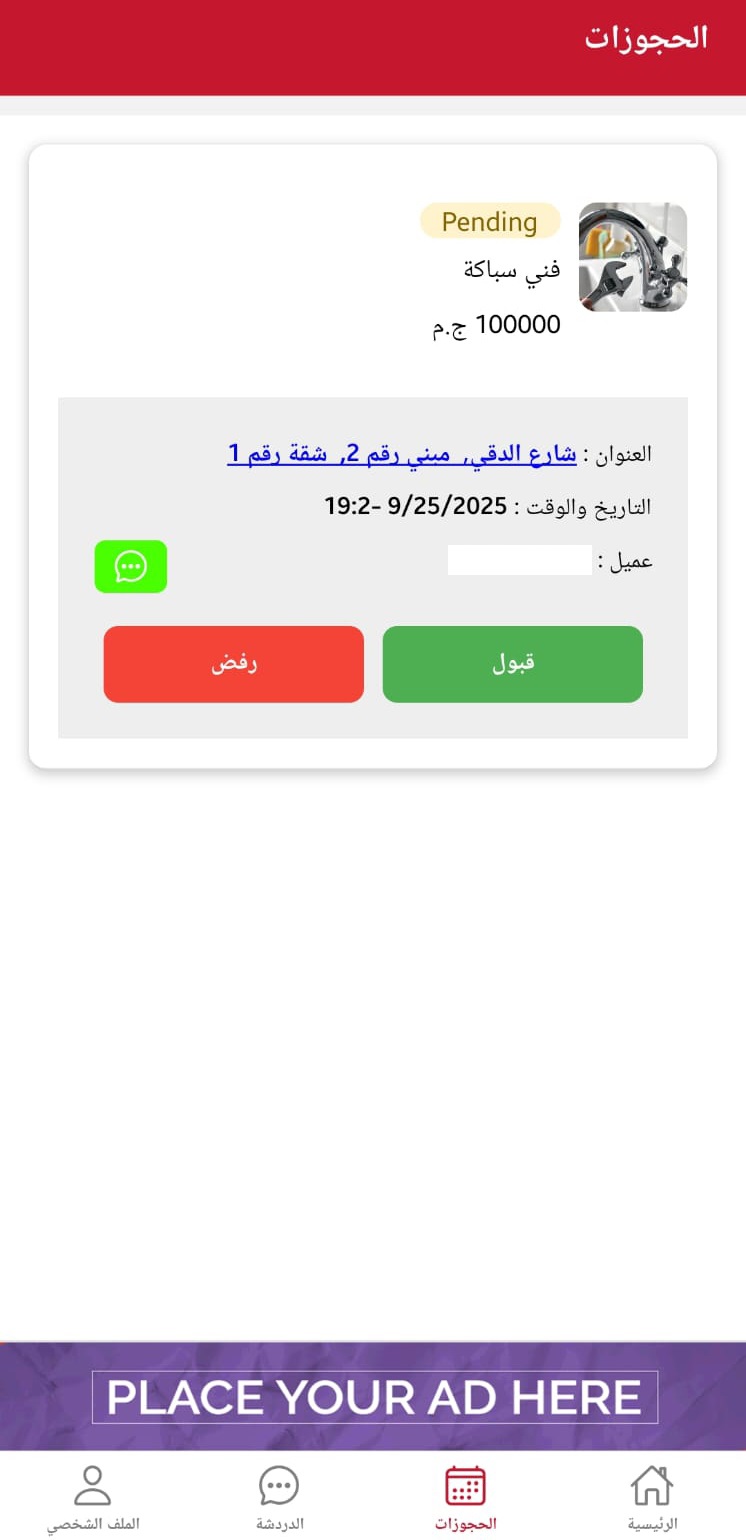
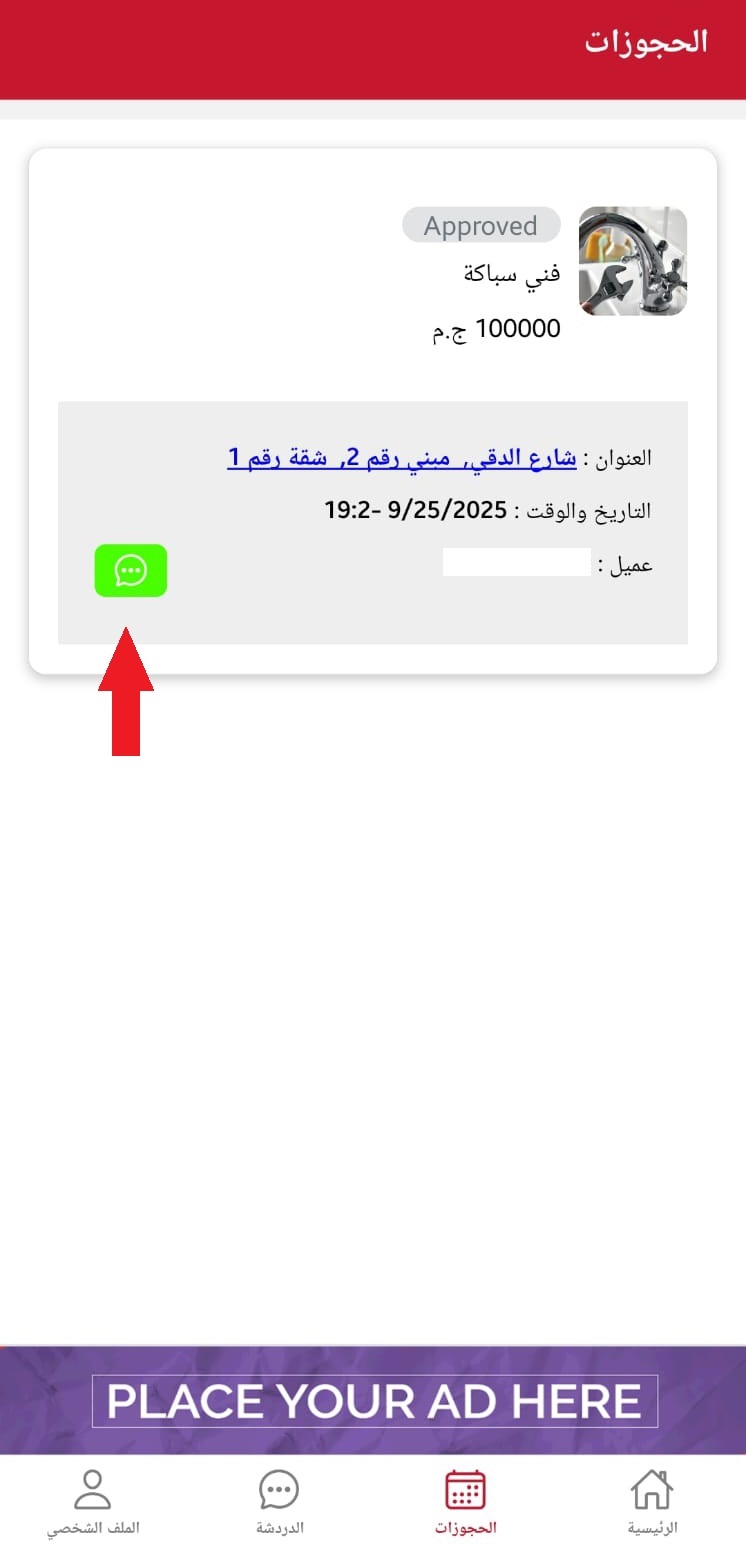
  3. Bookings page with new request
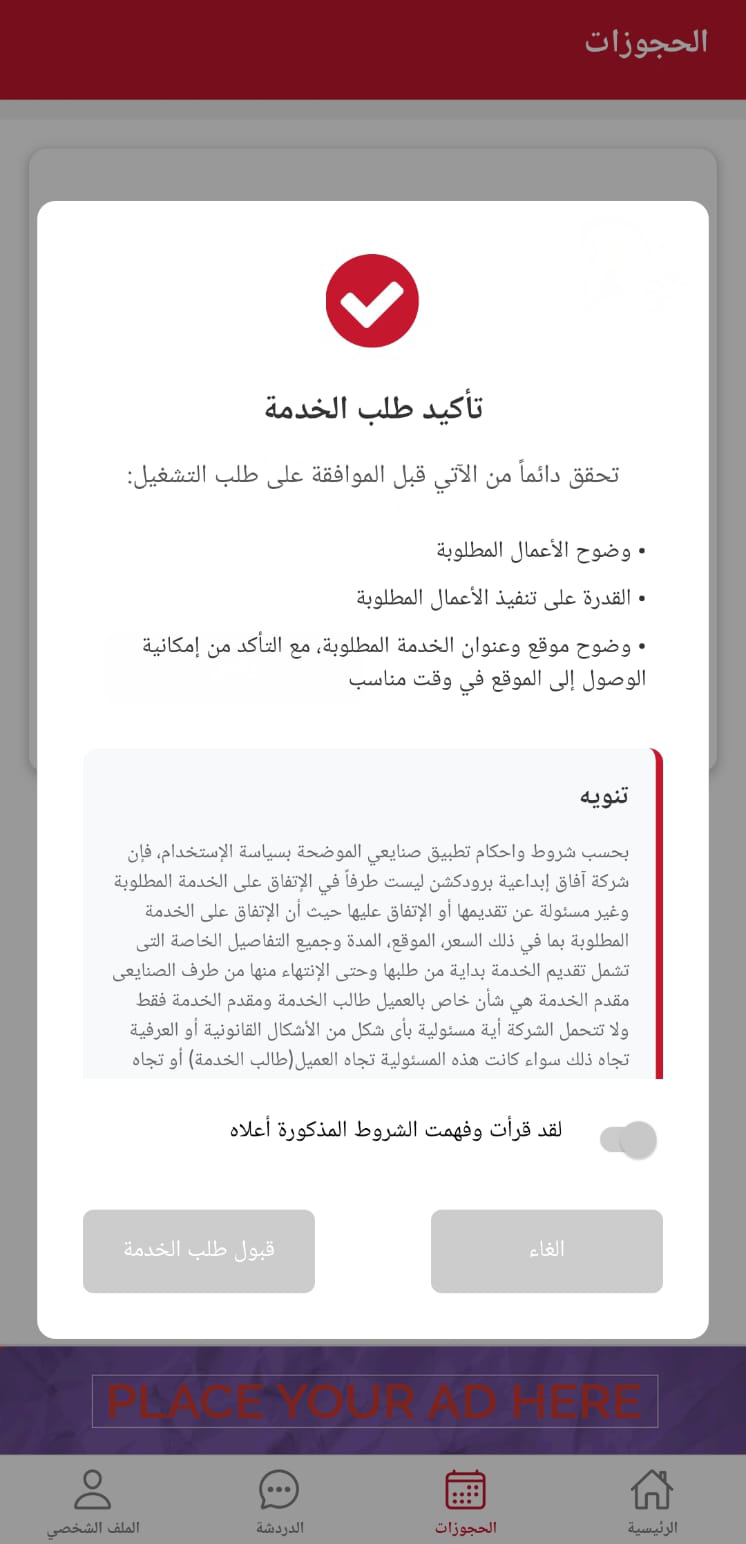
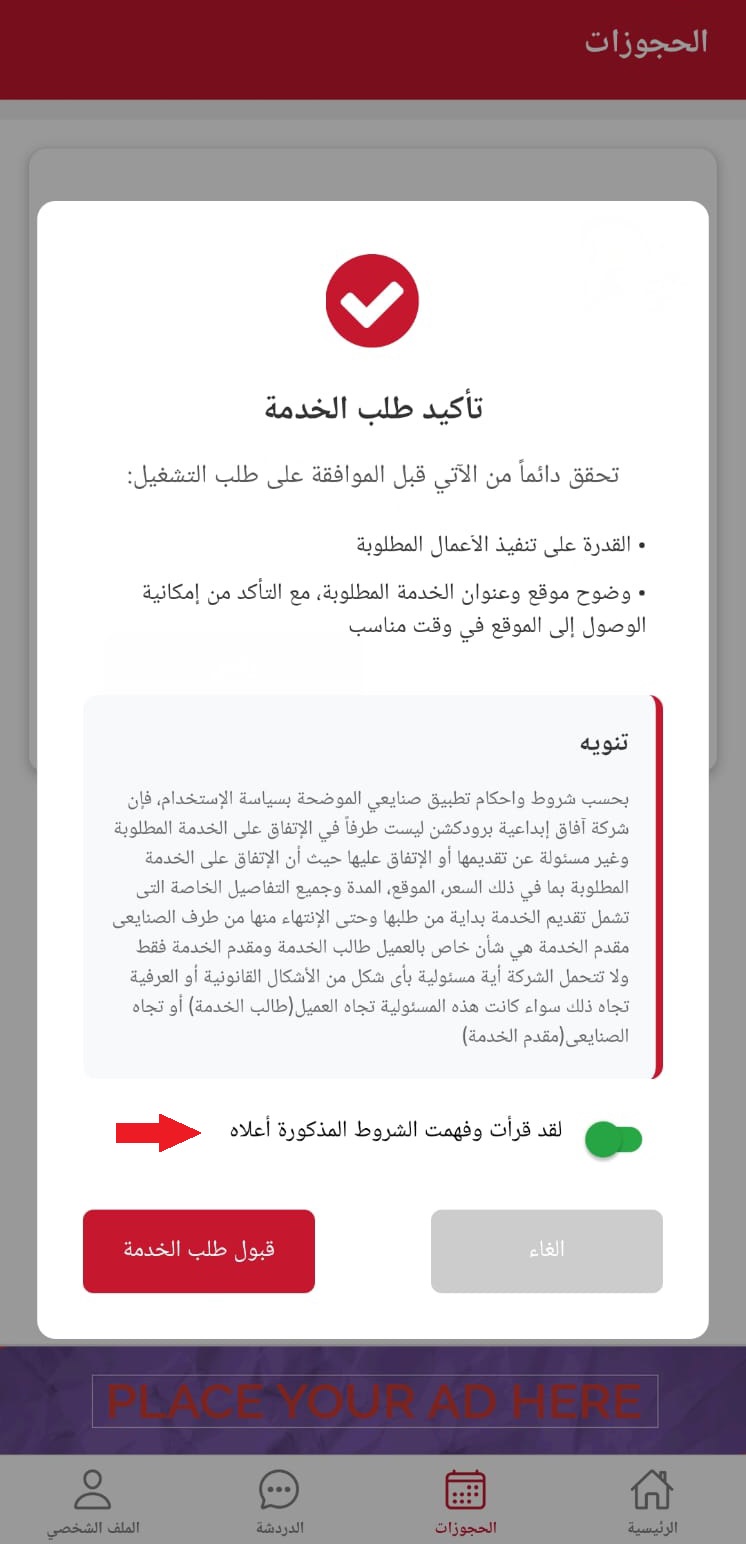
  4. Confirm service order Confirm service order
  5. Chat head
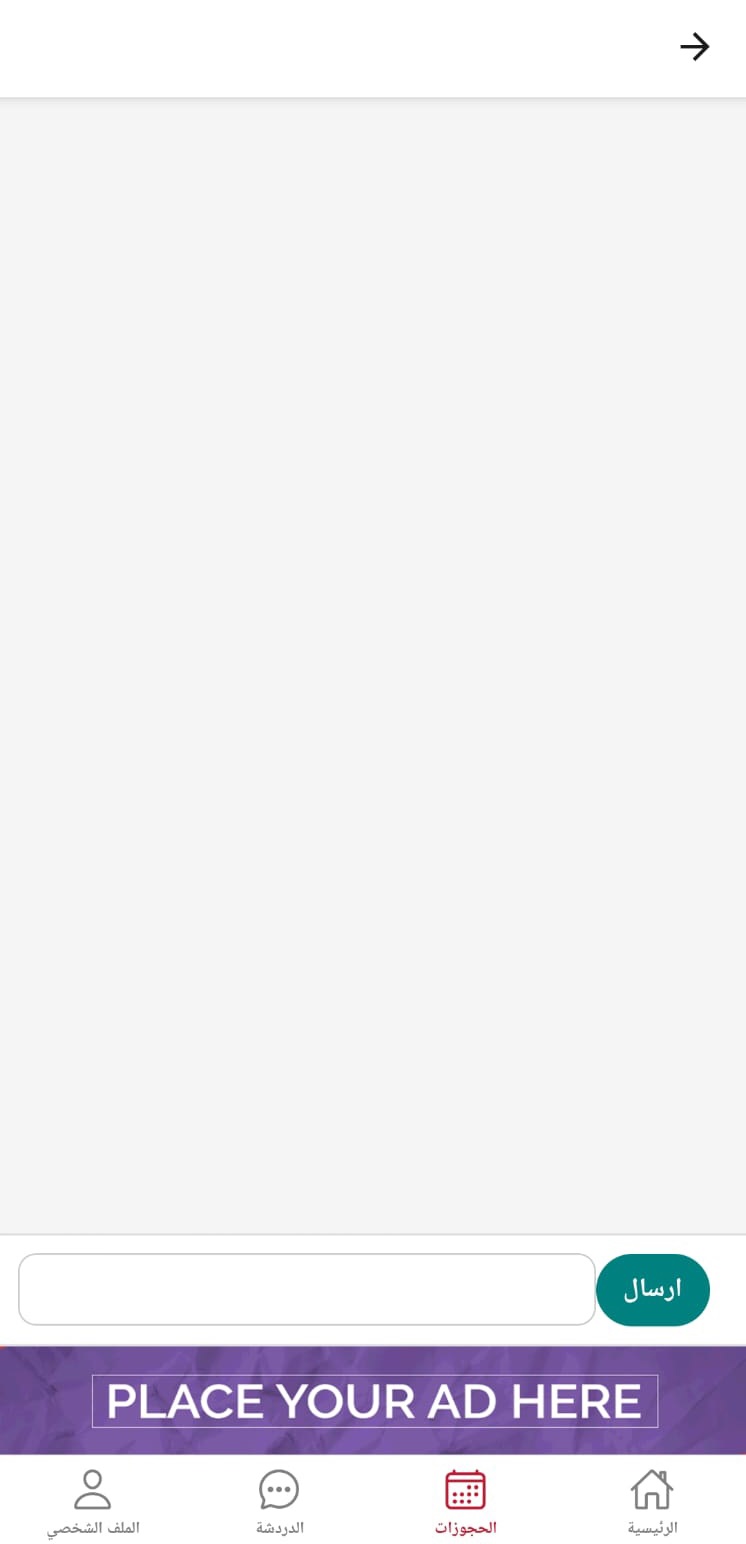
  6. Customer chat screen Customer chat screen
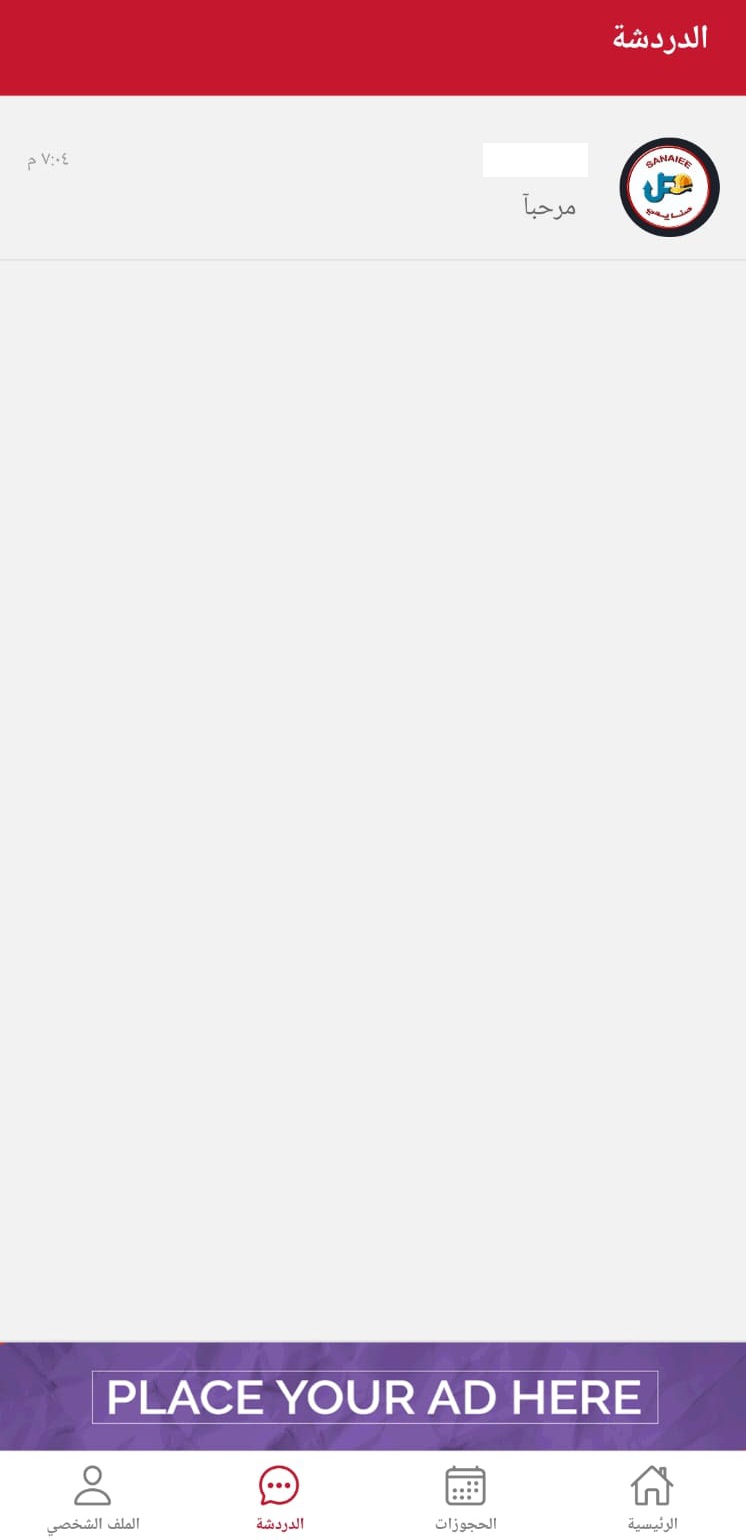
  7. Main chat page

Delete Account

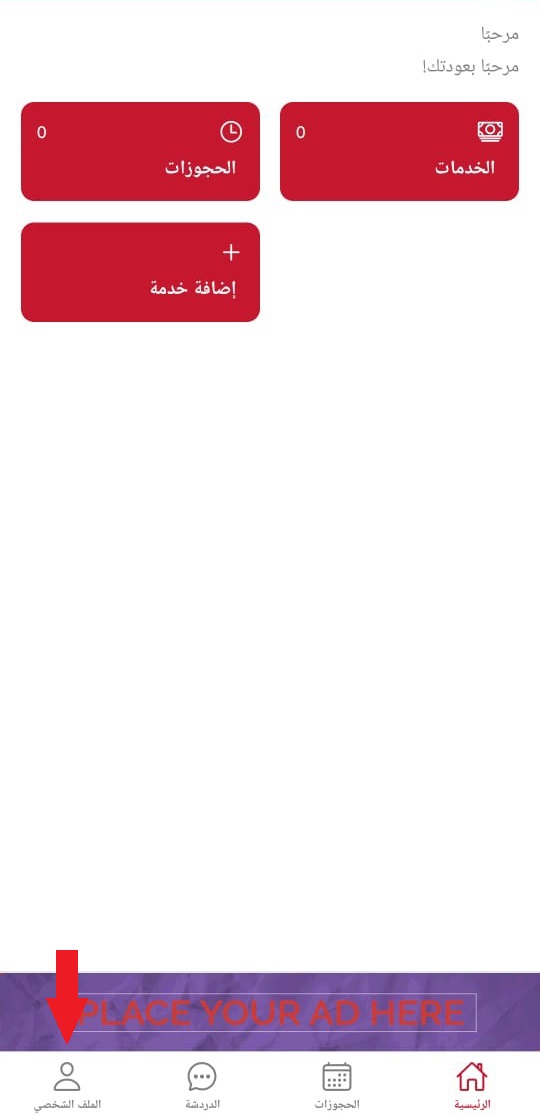
  1. Home screen with user profile
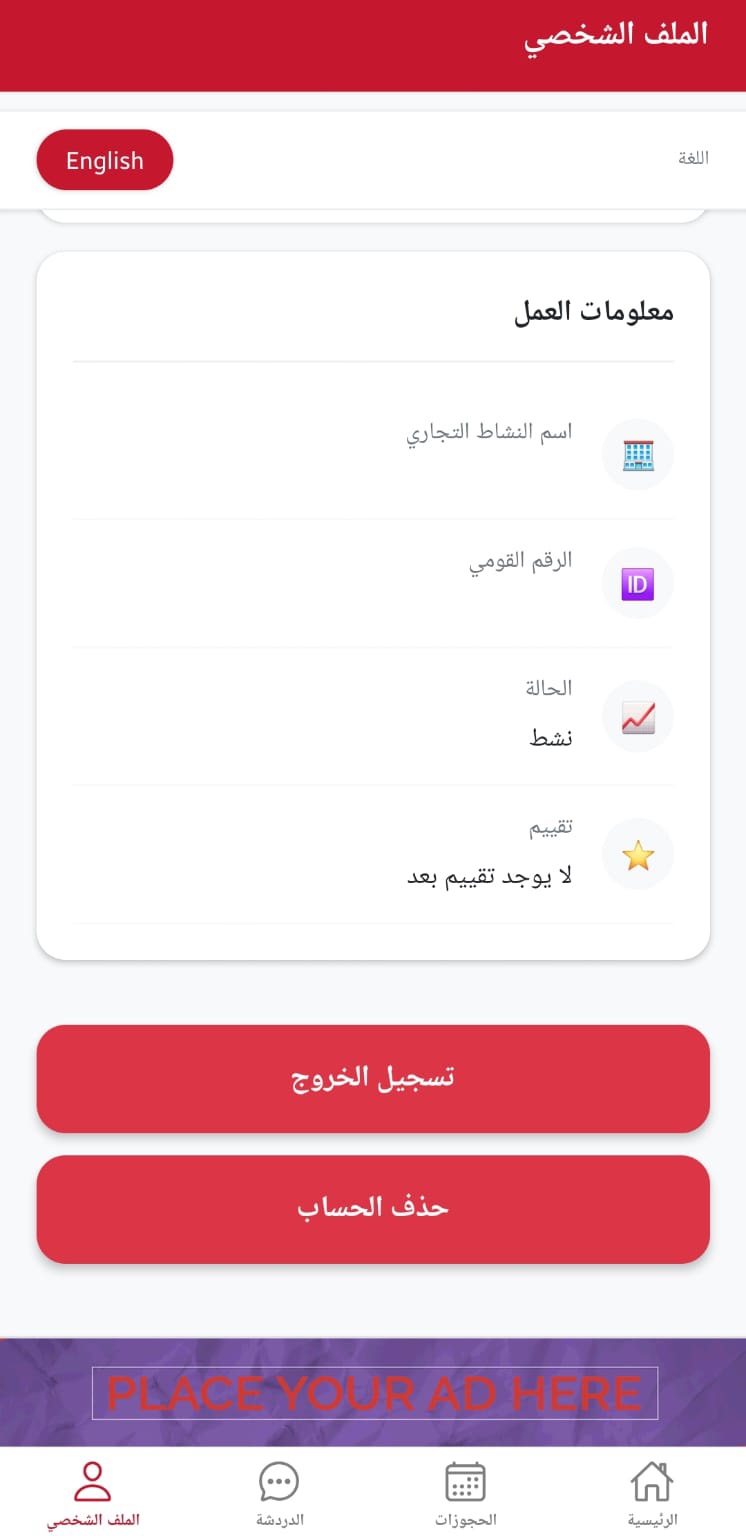
  2. User profile page with delete option
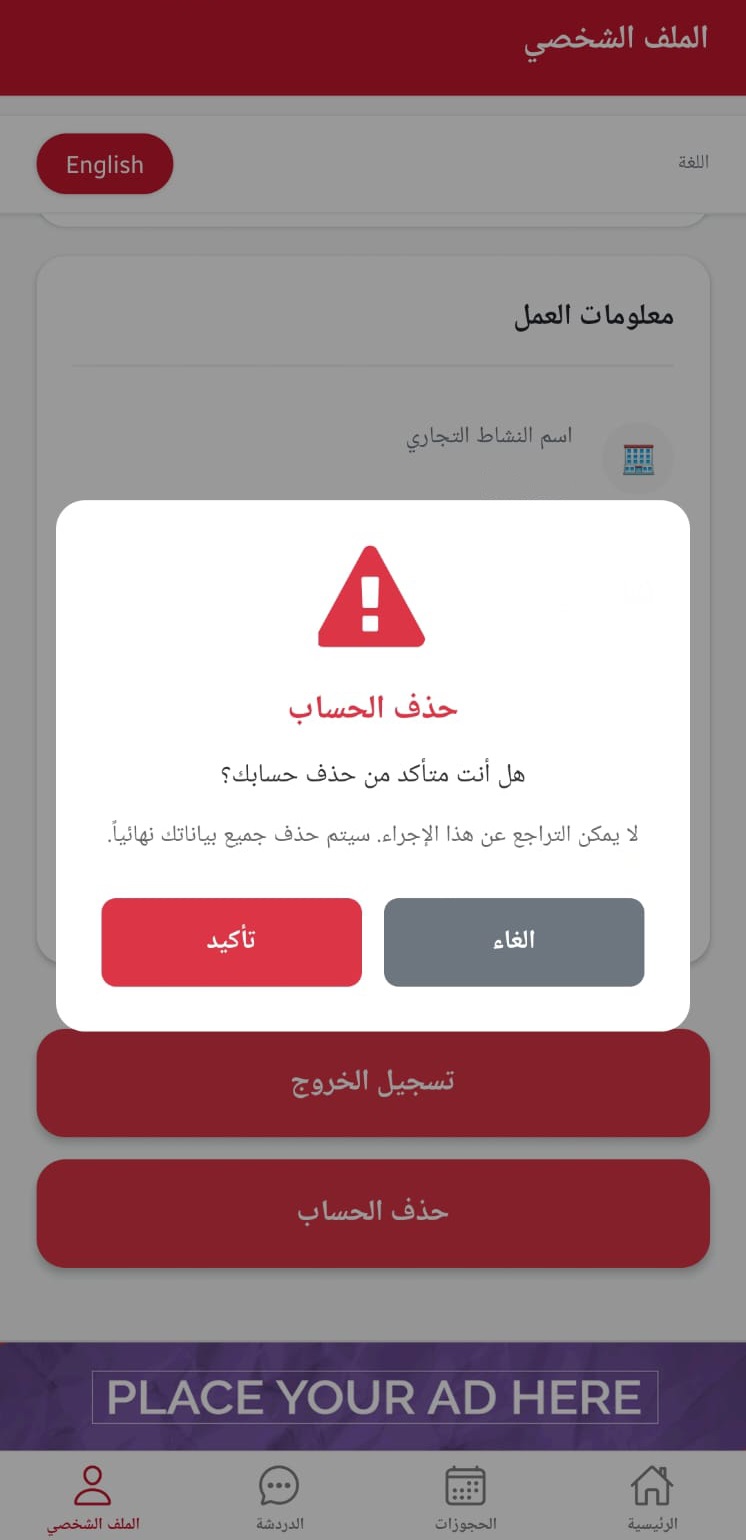
  3. Delete account confirmation popup

Create a Customer Account

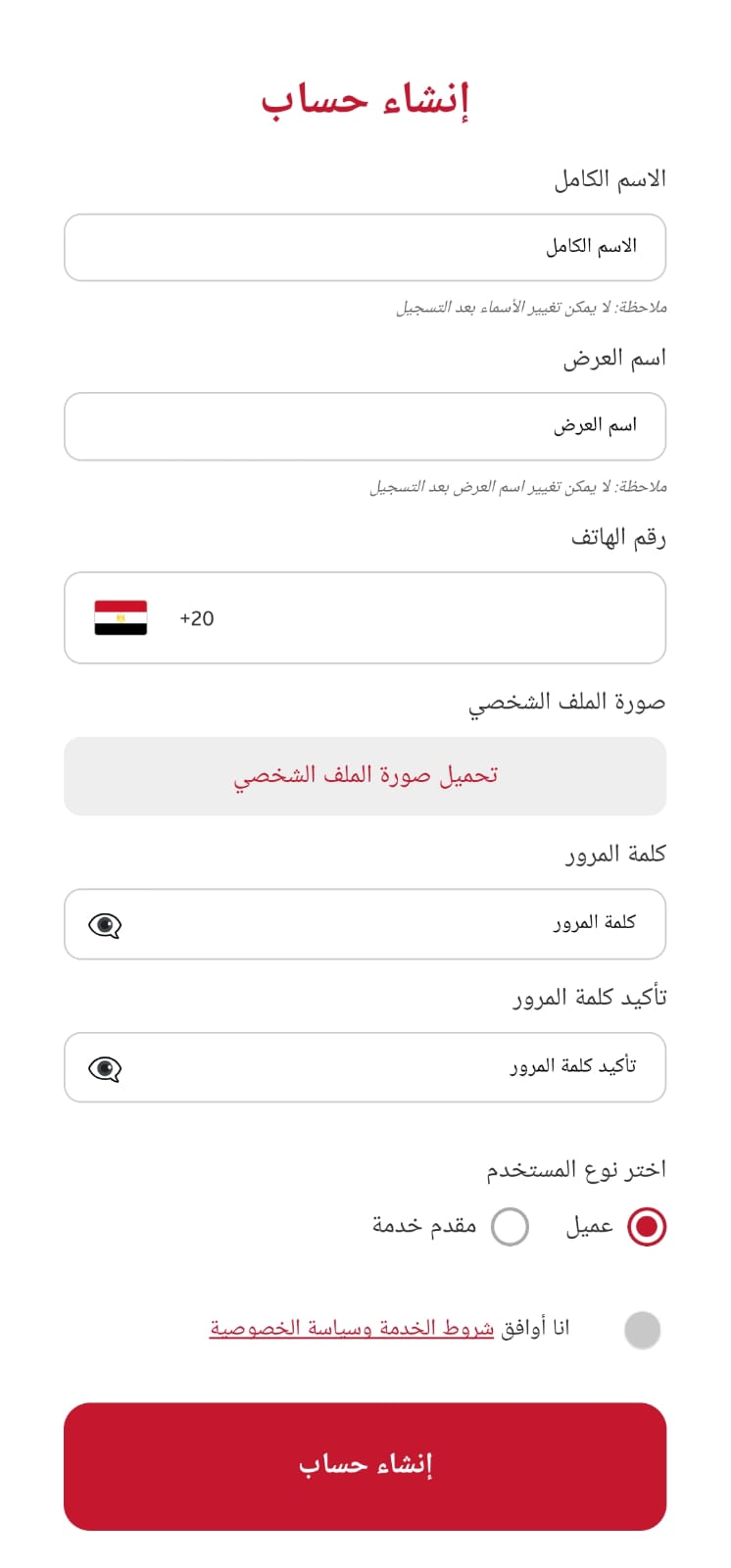
  1. Open app main page
  2. Login screen
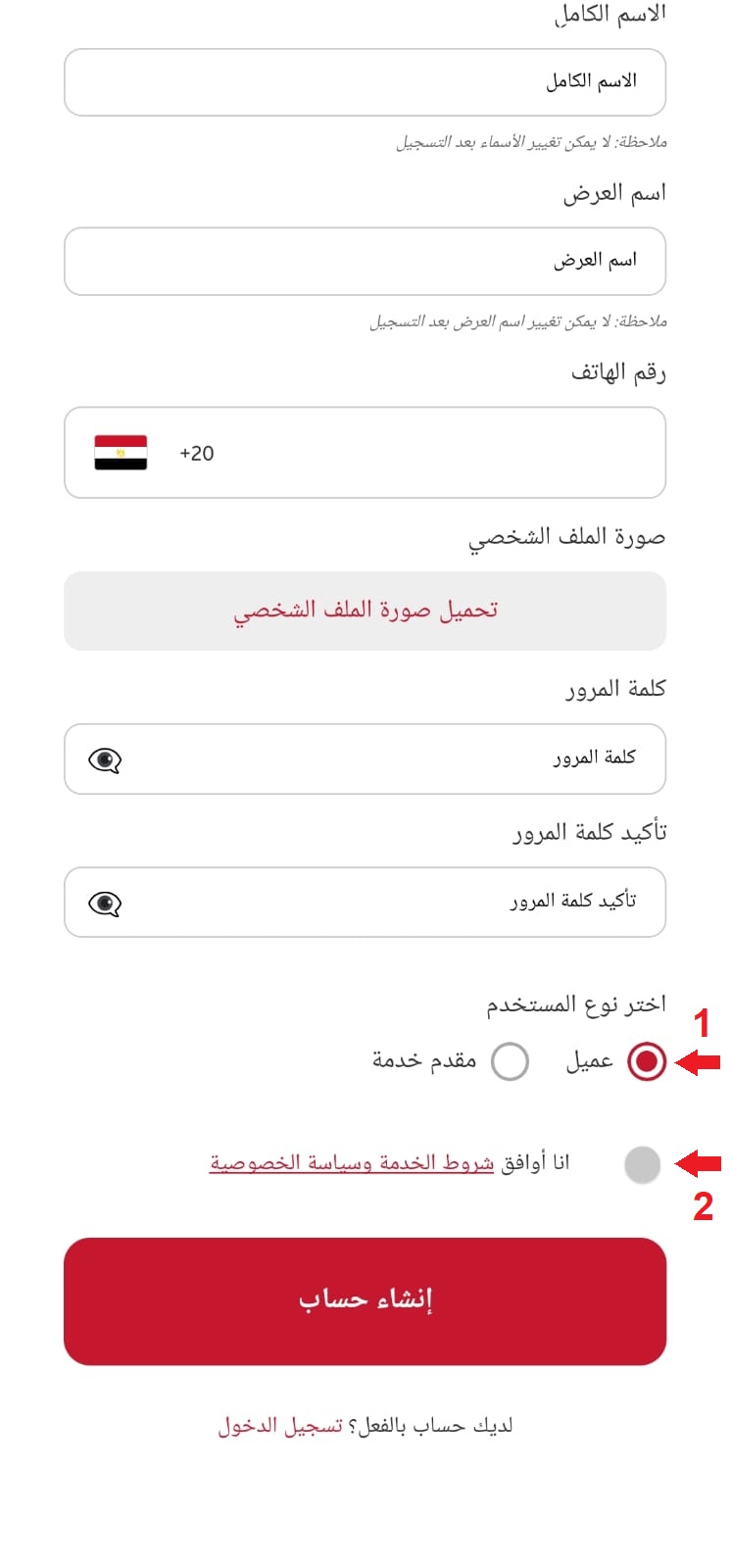
  3. Register screen
  4. Customer agreement
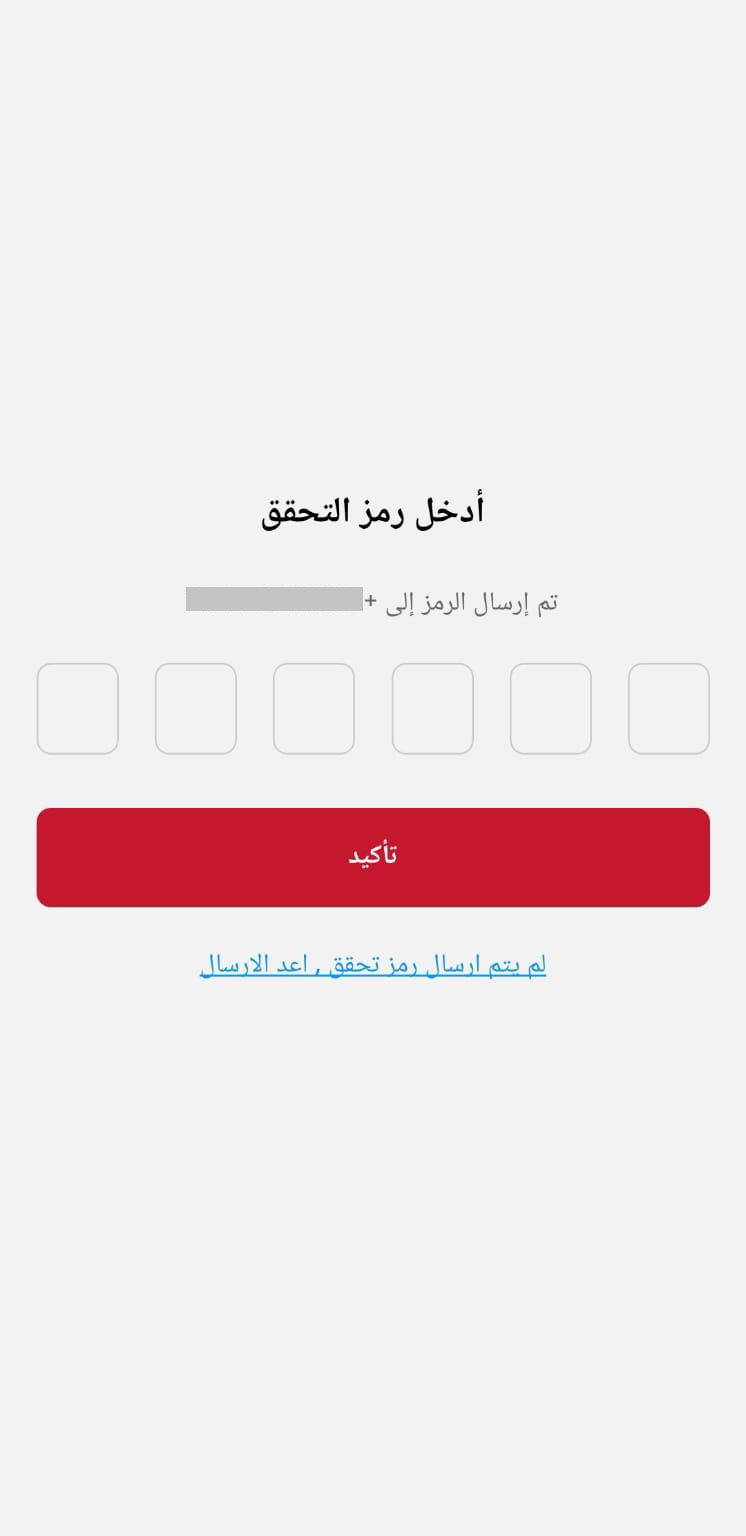
  5. OTP verification

Search and Book Service

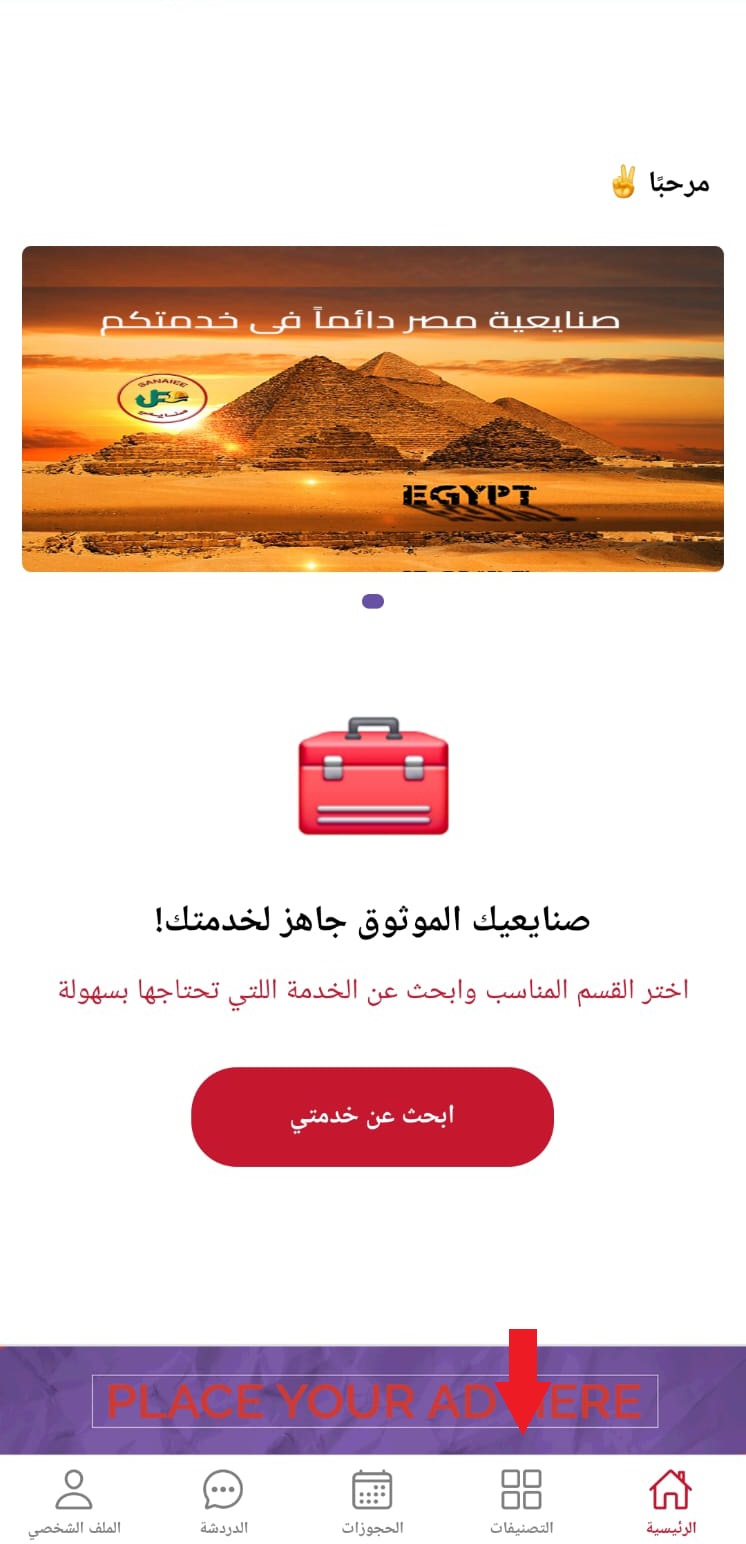
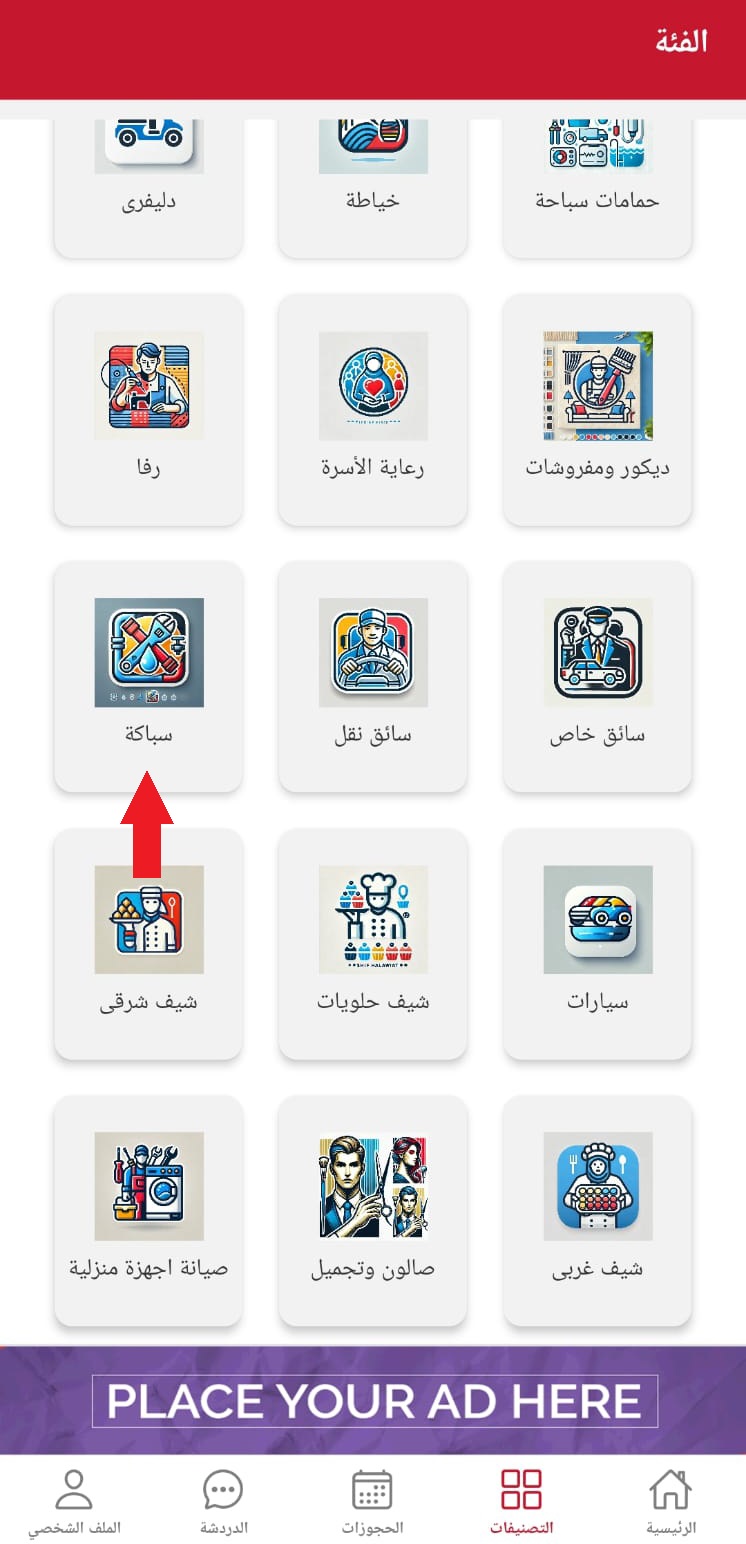
  1. Home page with categories
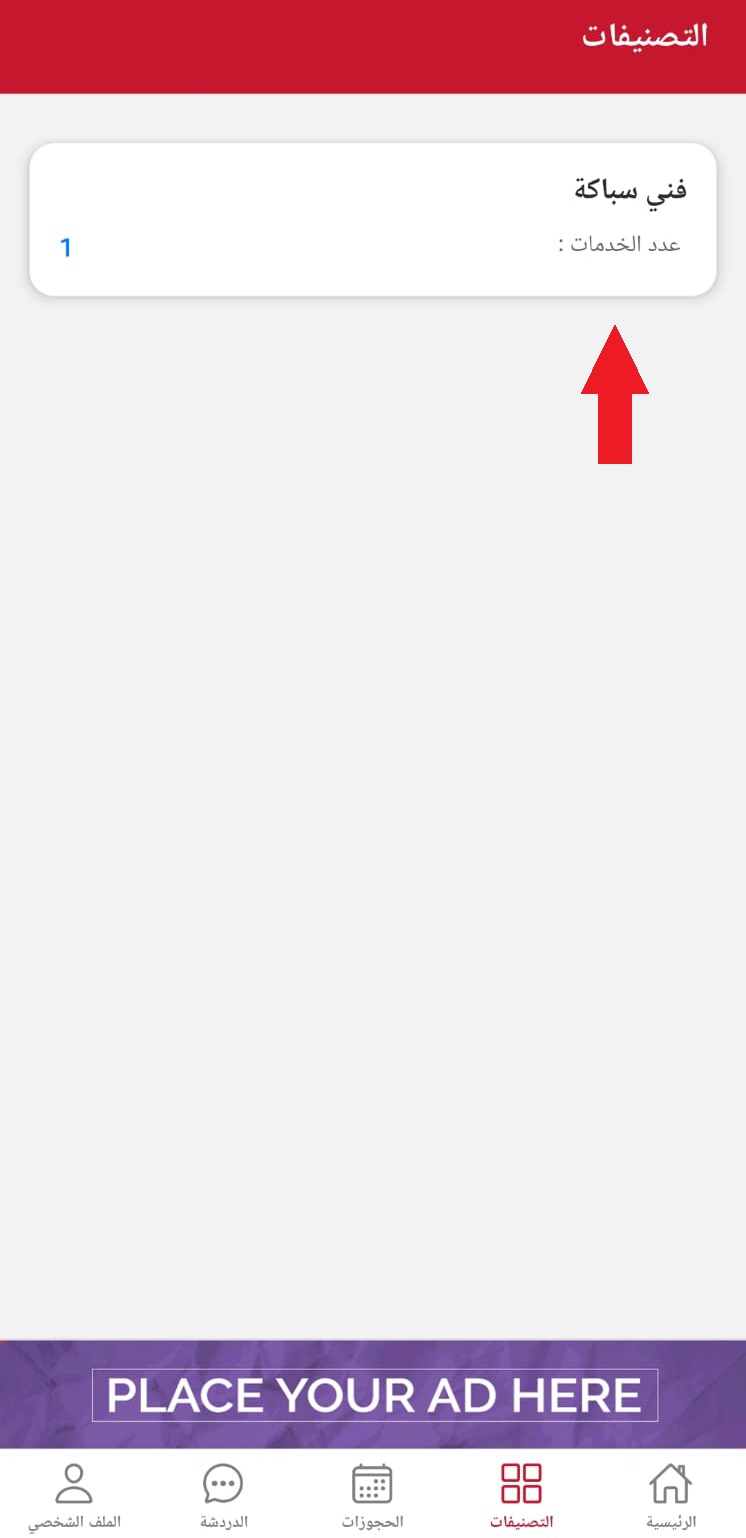
  2. Search for plumbing service
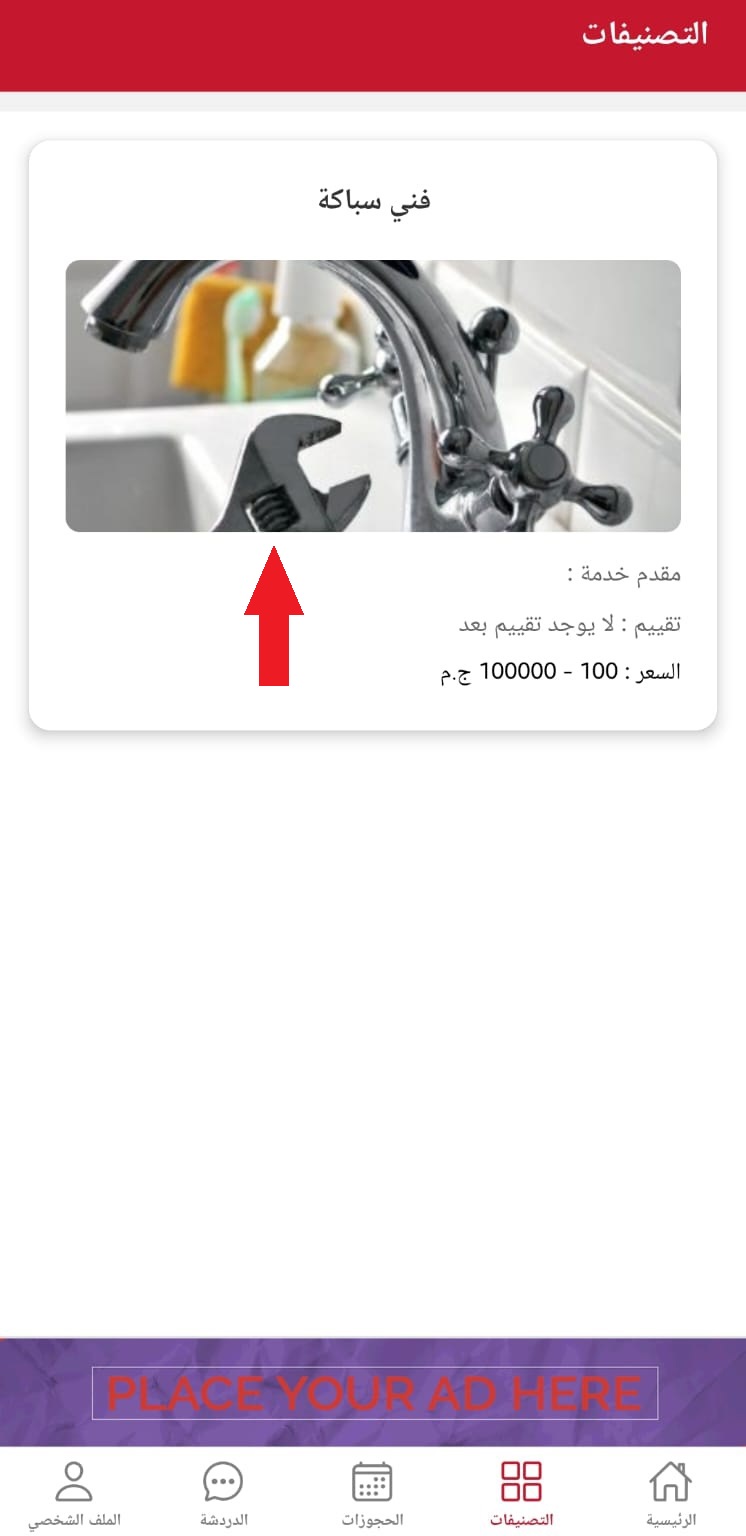
  3. List of service providers
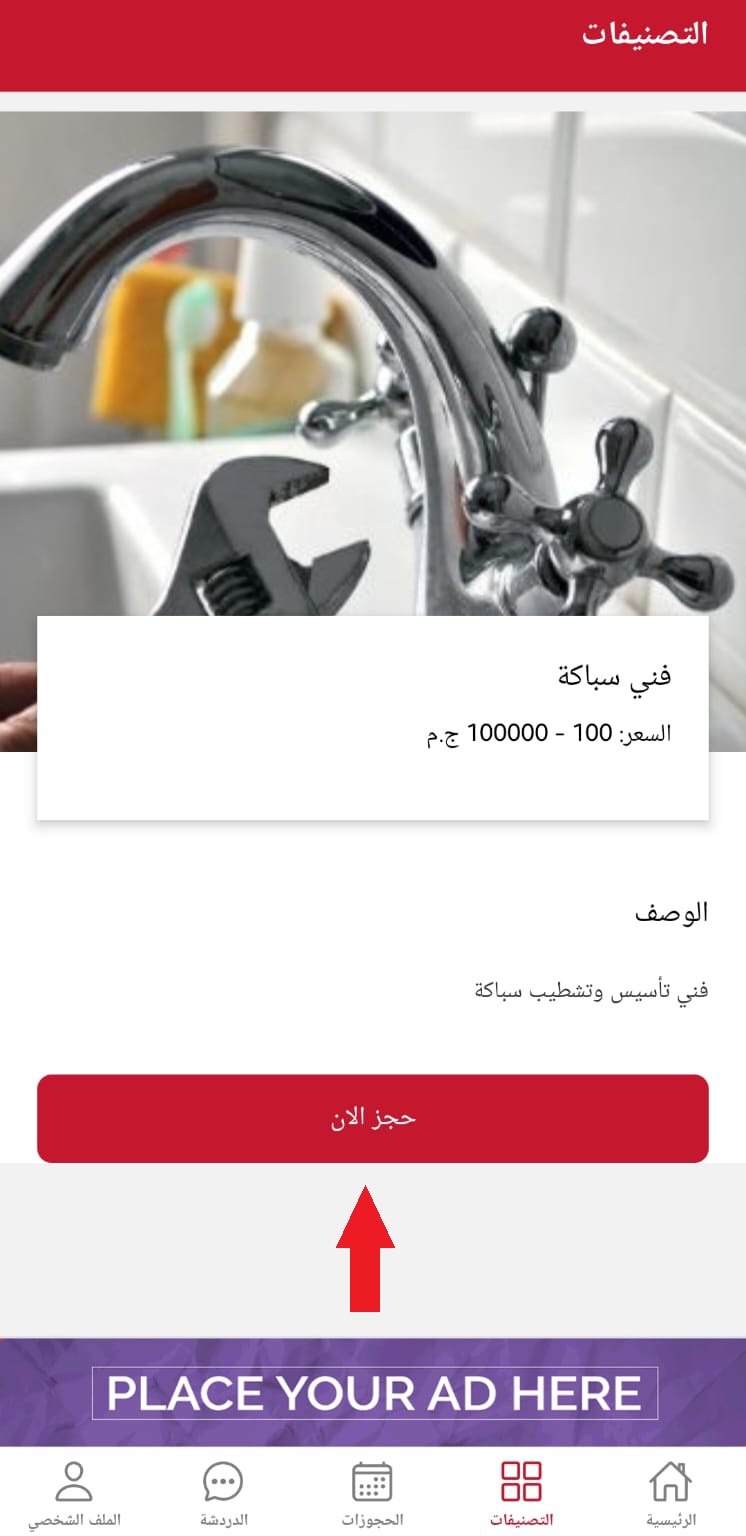
  4. Service details page
  5. Book now button
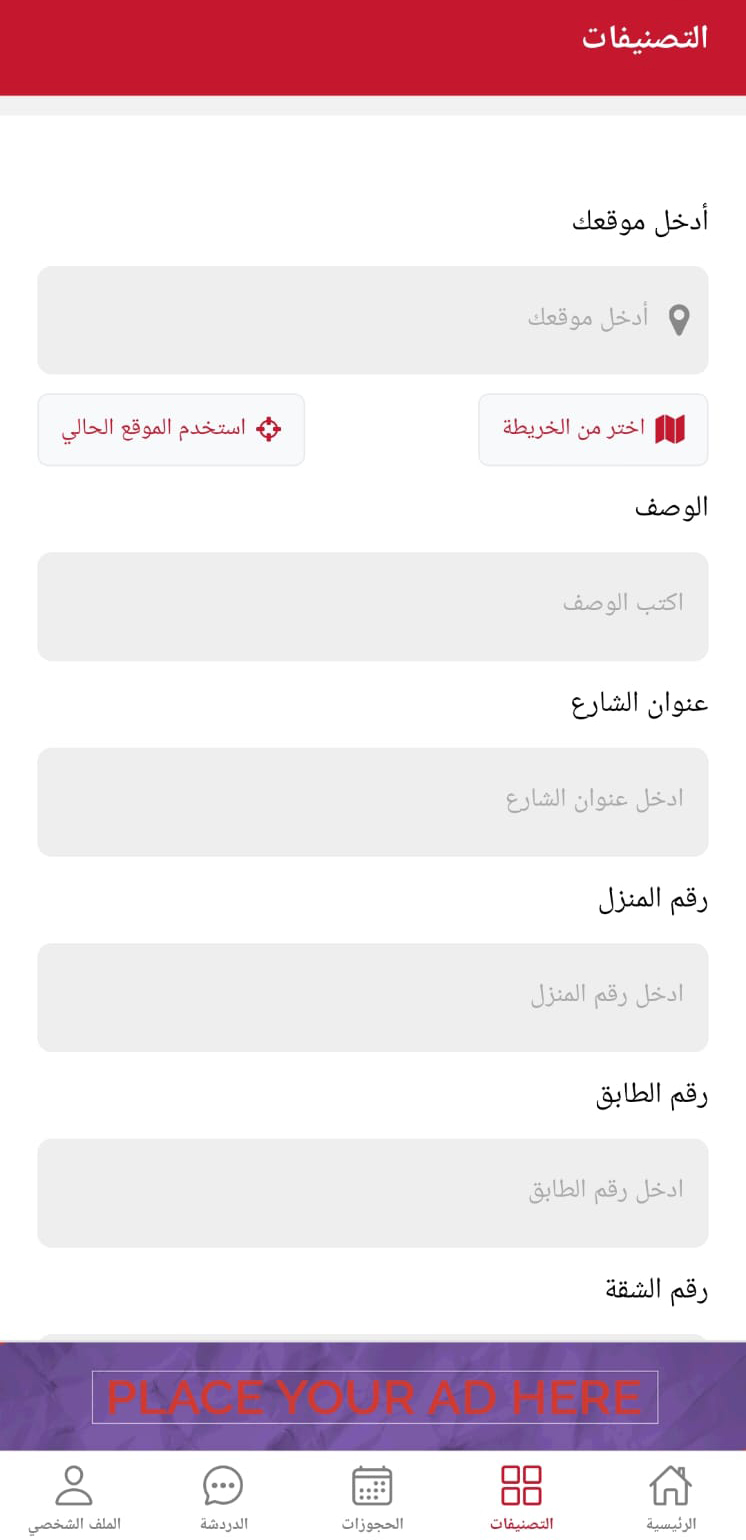
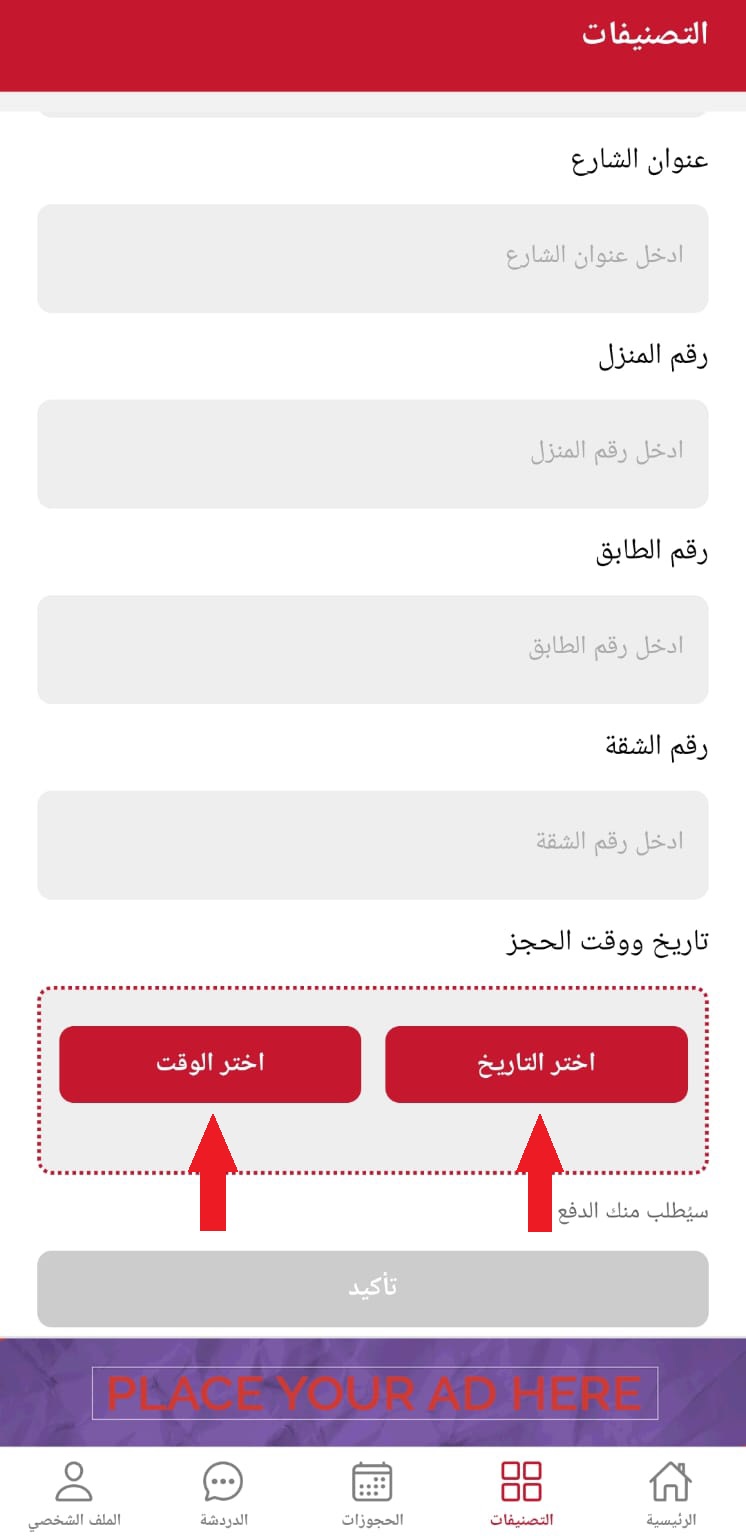
  6. Booking form
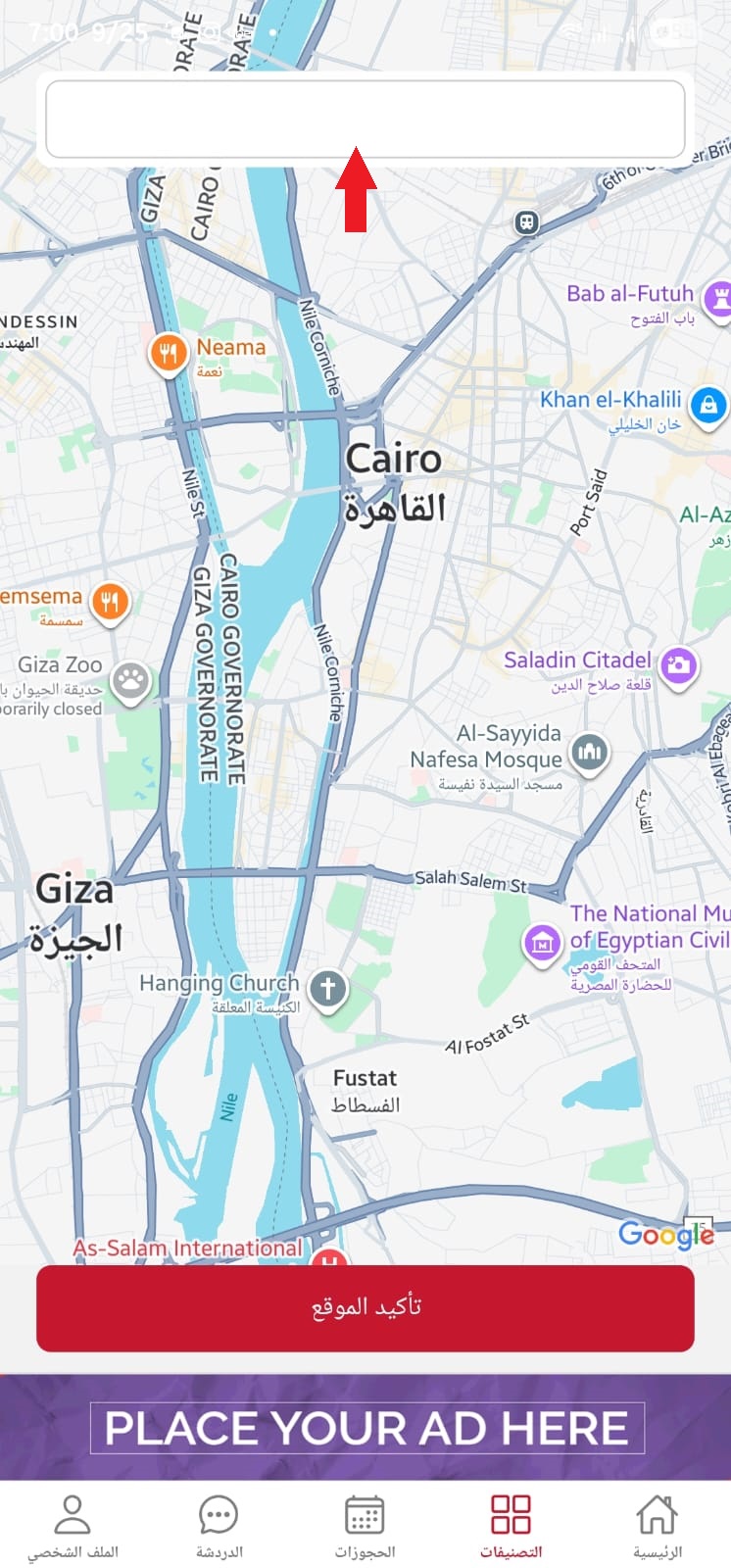
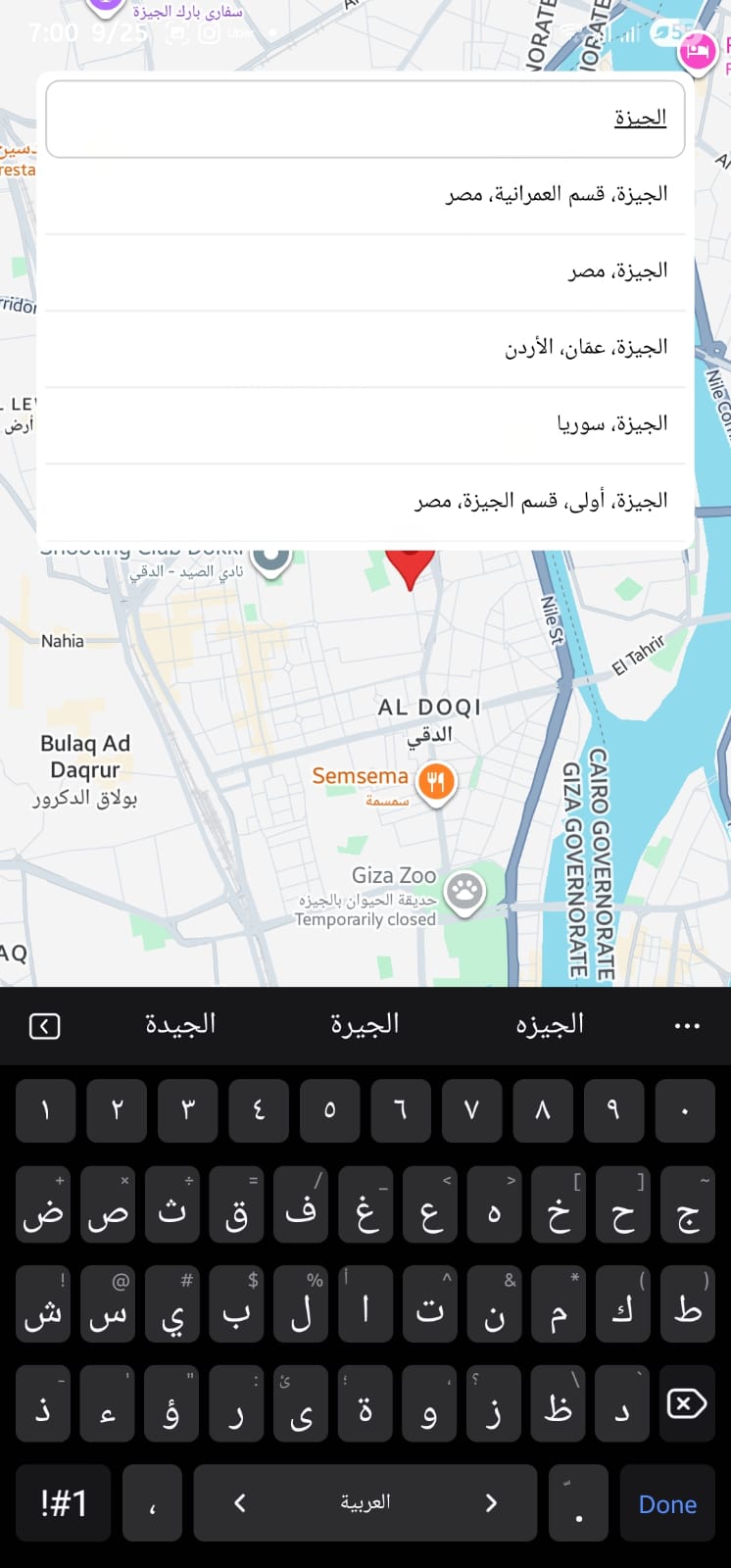
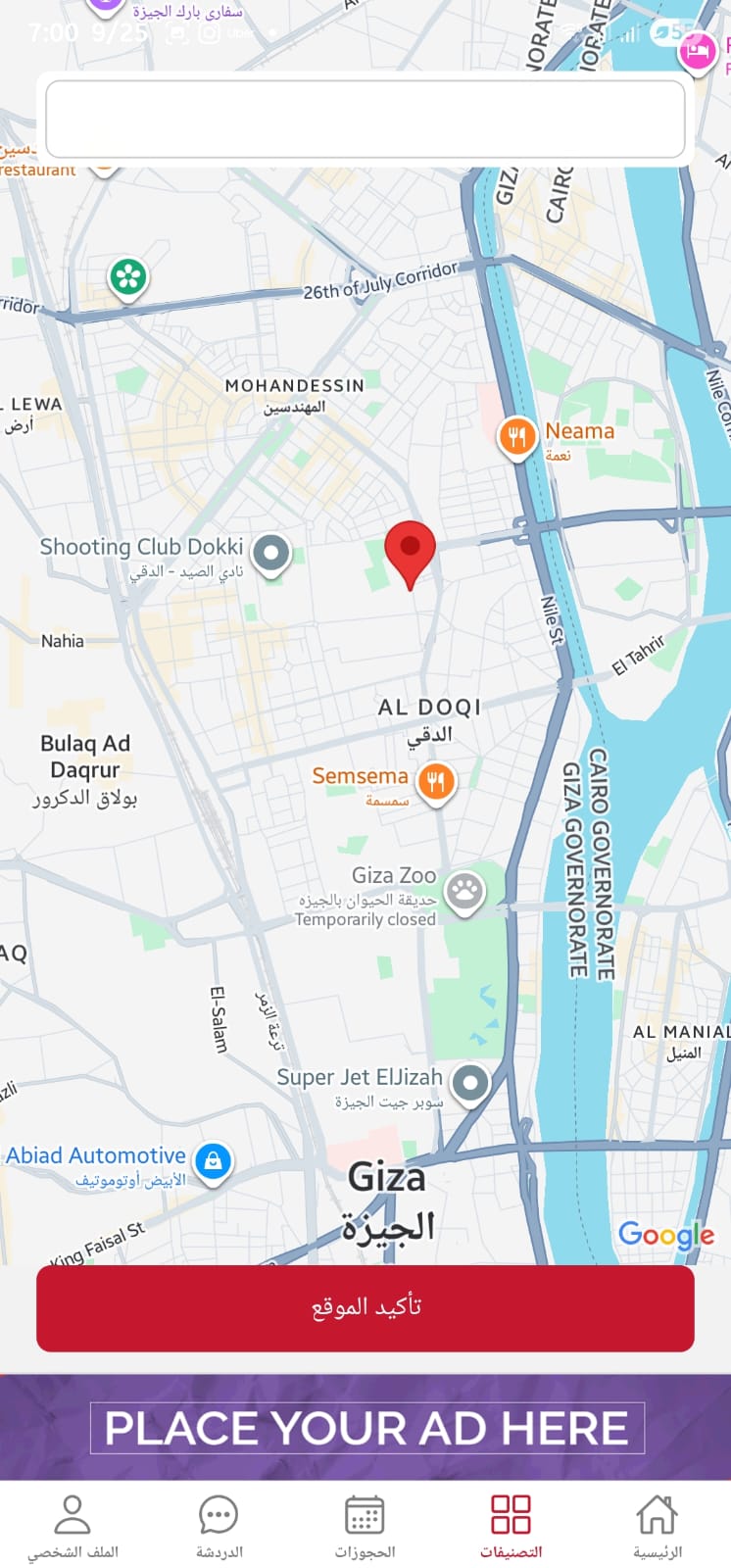
  7. Choose from the map Choose from the map Choose from the map
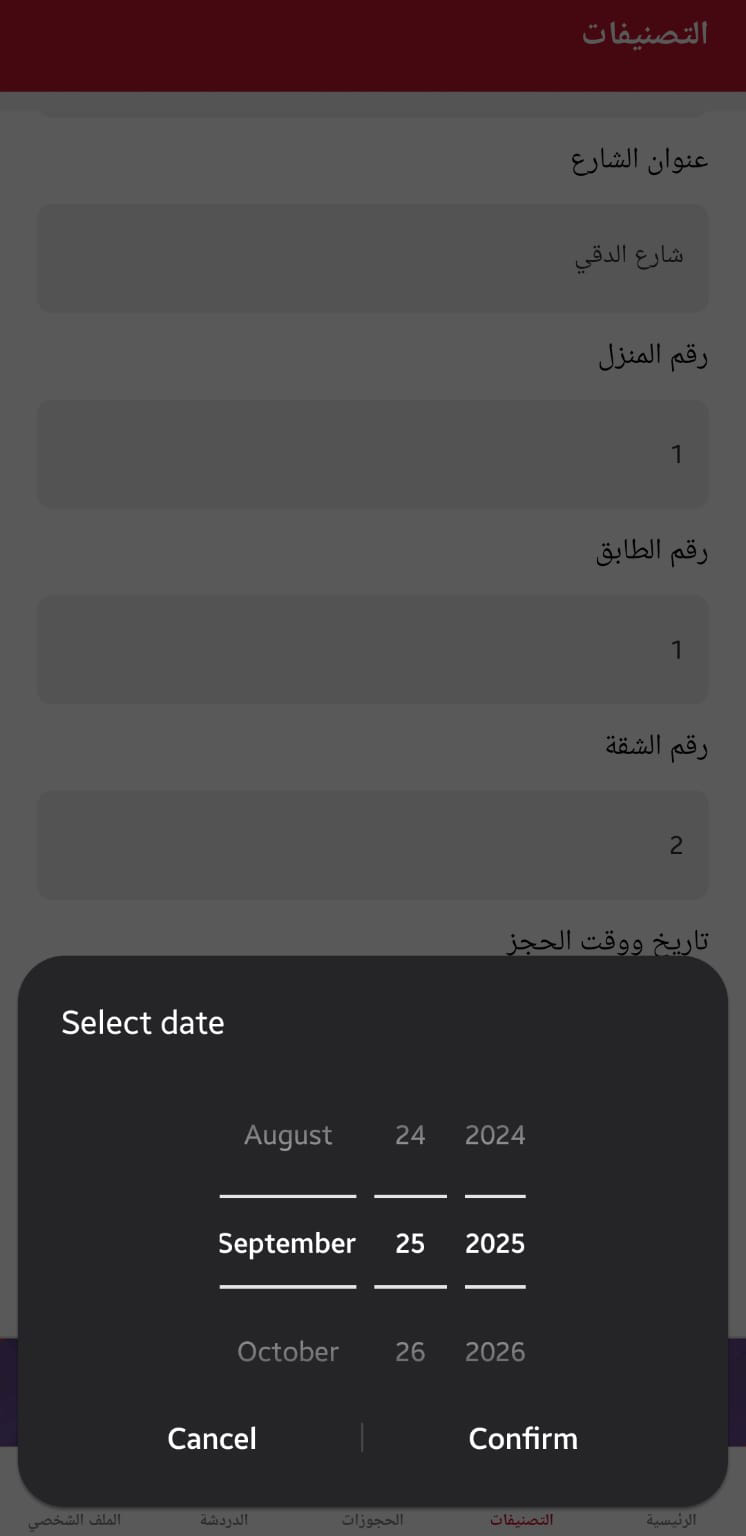
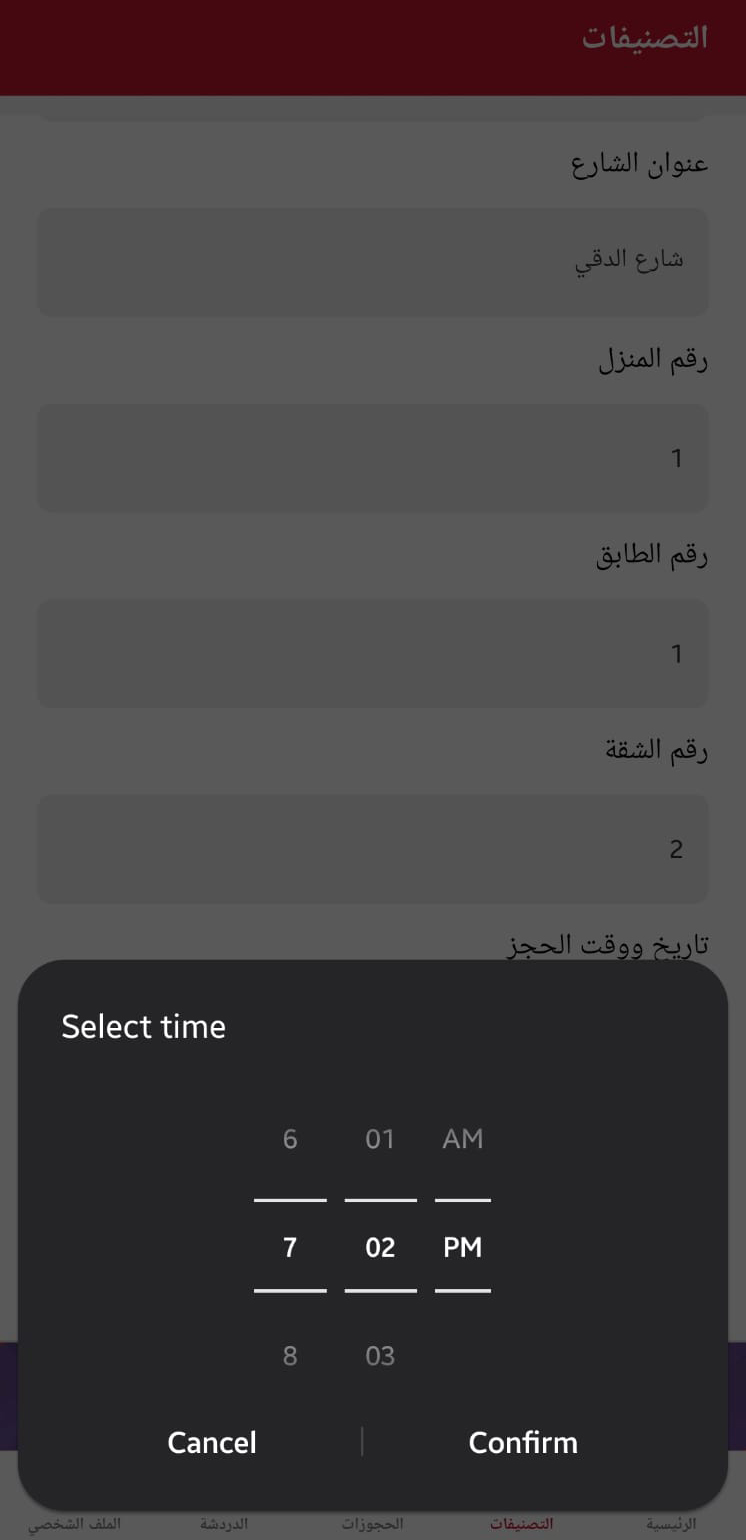
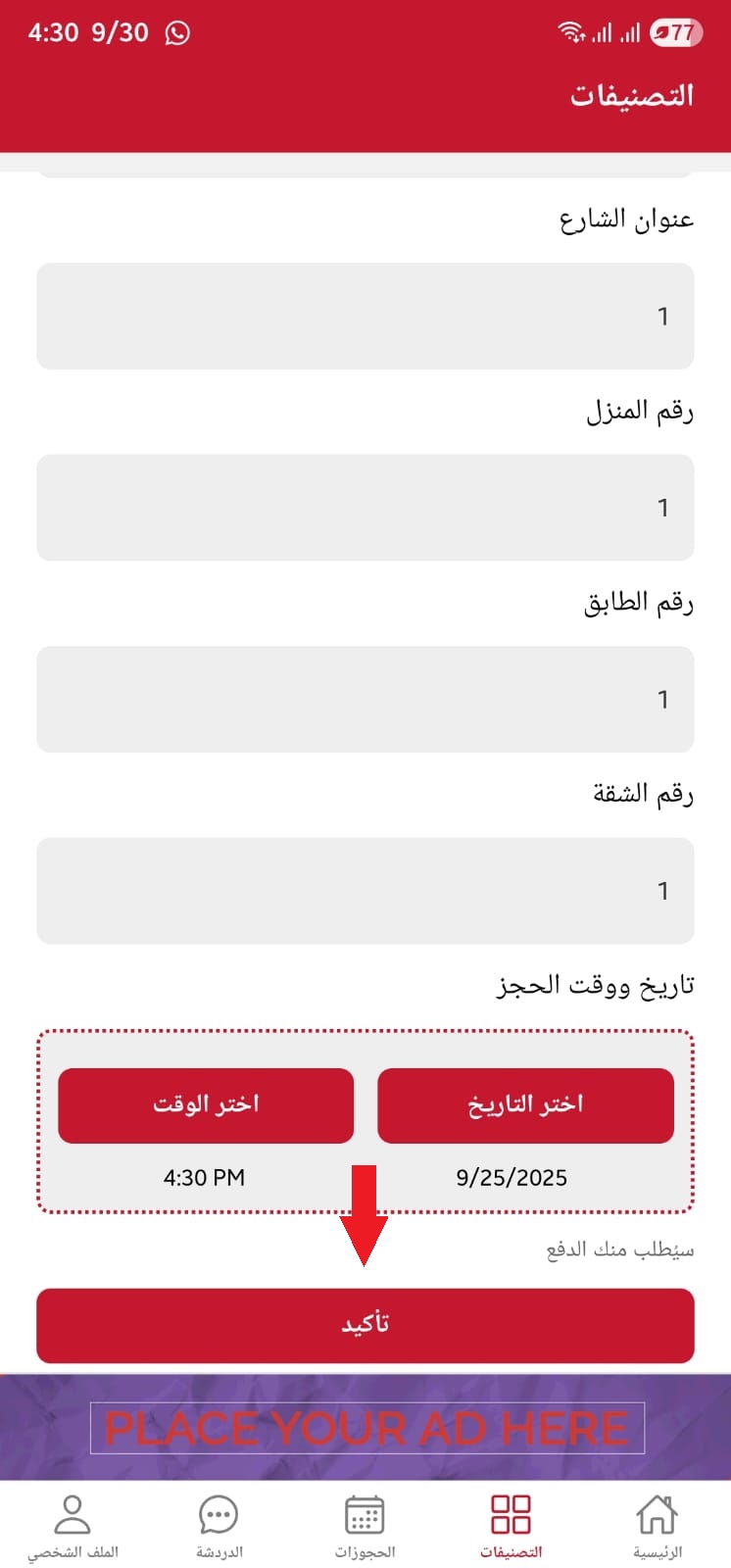
  8. Choose date and time Choose date and time Choose date and time
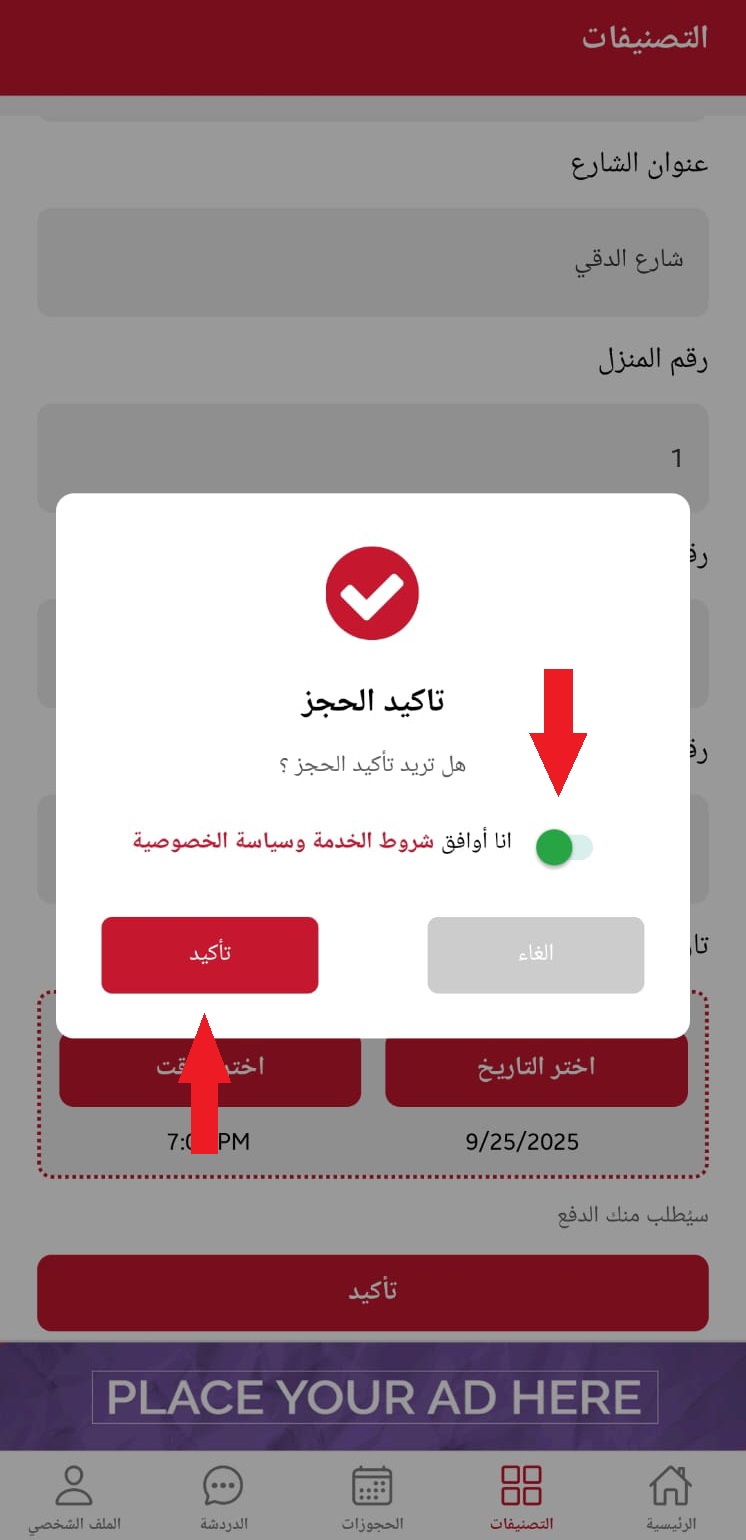
  9. Payment confirmation
  10. Booking confirmation screen

Delete Account

  1. Home screen with user profile
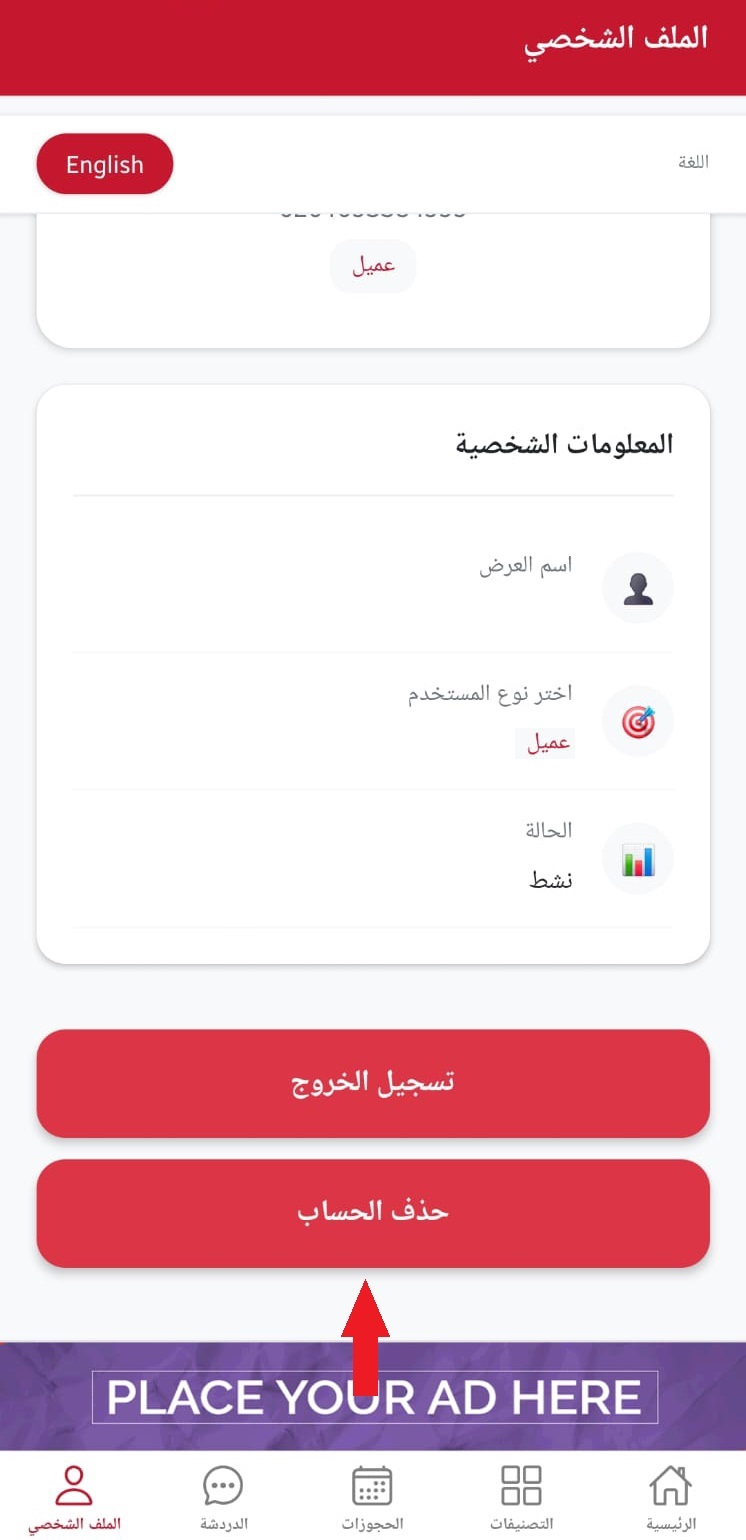
  2. User profile page with delete option
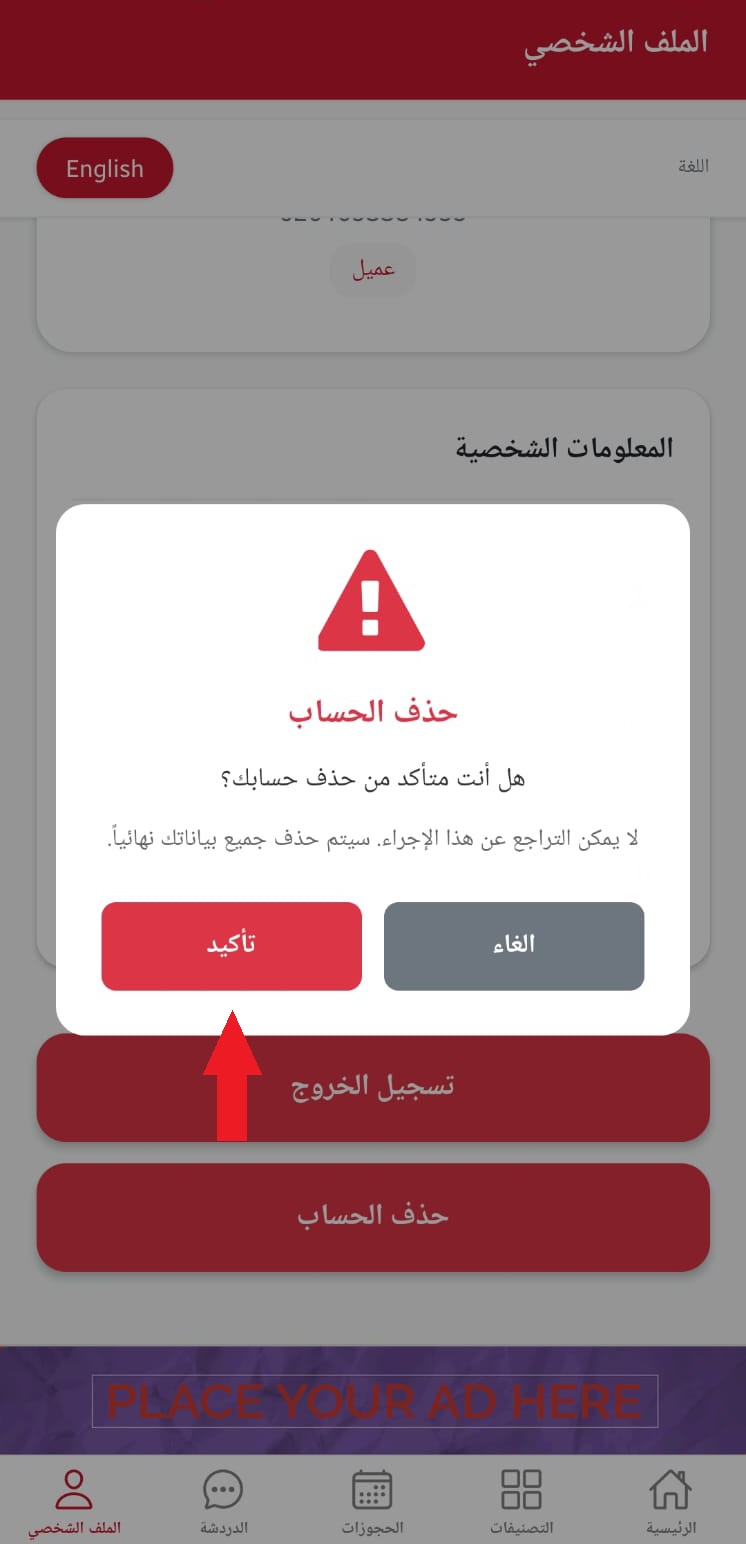
  3. Delete account confirmation popup

User Manual Sections

Terms & Privacy Delete Account

© Sanaiee. All rights reserved.

Back to top ↑